
Ground Actors
Ground Actors Overview
Ground Actors are animated humanoid moving models within Nova. They are made up of skins, animations and props. These moving models are used to simulate groups of humans such as flight deck crew, military forces, civilians, and hostile enemies.
Ground Actors Configuration
Ground Actors Token Configuration
There are three required tokens when setting up ground actors.
GroundActors ONEnables or disables the Ground Actors. Set this token to ON to enable ground actors. Defaults to OFF. This token is typically set in custom\pc-nova.cfg or in custom\override_<database>.cfg
GroundActorAnimsCfgFile COMMON\RELEASE\V1\DB\DB_ANIMATION\CONFIG\ANIMATION_LIBRARY.csvSpecified the path to the .csv file containing the animations. To load all available animations, point this token to COMMON\RELEASE\V1\DB\DB_ANIMATION\CONFIG\ANIMATION_LIBRARY.csv. This token is typically set in custom\pc-nova.cfg or in custom\override_<database>.cfg
GroundActorSkinsCfgFile custom\ground_actors_skins.csvSpecifies the path to the .csv file containing the skins or models used. Some example skin .csv files are located at COMMON\RELEASE\V1\DB\DB_ANIMATION\CONFIG. It is recommended to create a custom skins .csv file and place it in the custom directory so you only load the character models needed. This token is typically set in custom\pc-nova.cfg or in custom\override_<database>.cfg
Ground Actors Data Configuration
Skins File
Skins files are in .csv format. They define the ID, file path to the actor skin, as well as file path to any attachments. Several sample skin files are located at COMMON\RELEASE\V1\DB\DB_ANIMATION\CONFIG\. It is recommended that a custom skins.csv file is created based on the specific program or system needs. This prevents loading unused models.
Sample Skin snippet from GENERIC_CIVILIAN_SKINS.csv
81, ../CHARACTERS/HUMAN/CIVILIAN/GENERIC/ADULT/ADULT_MALE_collared_shirt_shorts/ADULT_MALE_collared_shirt_shorts_01.cdae, , ../CONFIG/MOBILITY_DEMO_Attachments.csv,,,,,
82, ../CHARACTERS/HUMAN/CIVILIAN/GENERIC/ADULT/ADULT_MALE_collared_shirt_shorts/ADULT_MALE_collared_shirt_shorts_02.cdae, , ../CONFIG/MOBILITY_DEMO_Attachments.csv,,,,,
83, ../CHARACTERS/HUMAN/CIVILIAN/GENERIC/ADULT/ADULT_MALE_cruise_ship_uni/ADULT_MALE_cruise_ship_uni_white.cdae, , ../CONFIG/MOBILITY_DEMO_Attachments.csv,,,,,
84, ../CHARACTERS/HUMAN/CIVILIAN/GENERIC/ADULT/ADULT_MALE_hiking/ADULT_MALE_hiking_01.cdae, , ../CONFIG/MOBILITY_DEMO_Attachments.csv,,,,,
85, ../CHARACTERS/HUMAN/CIVILIAN/GENERIC/ADULT/ADULT_MALE_hunting/ADULT_MALE_hunting_01.cdae, , ../CONFIG/MOBILITY_DEMO_Attachments.csv,,,,,
86, ../CHARACTERS/HUMAN/CIVILIAN/GENERIC/ADULT/ADULT_MALE_merchant_ship_uni/ADULT_MALE_merchant_ship_uni_white.cdae, , ../CONFIG/MOBILITY_DEMO_Attachments.csv,,,,,
87, ../CHARACTERS/HUMAN/CIVILIAN/GENERIC/ADULT/ADULT_MALE_polo_pants/ADULT_MALE_polo_pants_01.cdae, , ../CONFIG/MOBILITY_DEMO_Attachments.csv,,,,,
88, ../CHARACTERS/HUMAN/CIVILIAN/GENERIC/ADULT/ADULT_MALE_sail_boat_racer_cold_gear/ADULT_MALE_sail_boat_racer_cold_gear.cdae, , ../CONFIG/MOBILITY_DEMO_Attachments.csv,,,,,
89, ../CHARACTERS/HUMAN/CIVILIAN/GENERIC/ADULT/ADULT_MALE_ship_worker_coveralls/ADULT_MALE_ship_worker_coveralls_grey.cdae, , ../CONFIG/MOBILITY_DEMO_Attachments.csv,,,,,
90, ../CHARACTERS/HUMAN/CIVILIAN/GENERIC/ADULT/ADULT_MALE_swim_cap_wetsuit/ADULT_MALE_swim_cap_wetsuit.cdae, , ../CONFIG/MOBILITY_DEMO_Attachments.csv,,,,,
Animation File
Animation files are in .csv format. They define the ID and the corresponding animation file path. Aechelon has an all encompassing animation library file located at COMMON\RELEASE\V1\DB\DB_ANIMATION\CONFIG\ANIMATION_LIBRARY.csv. This file includes several other animation files. If desired a user can create a custom animation file with IDs and animations only relevant to their program.
Sample Animation snippet from MOBILITY.csv
109, ../ANIMATIONS/HUMAN/ADULT/MOBILITY/STAND/MOBILITY_STAND_Relaxed_R_45.cban
110, ../ANIMATIONS/HUMAN/ADULT/MOBILITY/STAND/MOBILITY_STAND_Relaxed_R_90.cban
111, ../ANIMATIONS/HUMAN/ADULT/MOBILITY/STAND/MOBILITY_STAND_Relaxed_R_135.cban
112, ../ANIMATIONS/HUMAN/ADULT/MOBILITY/STAND/MOBILITY_STAND_Relaxed_R_180.cban
130, ../ANIMATIONS/HUMAN/ADULT/MOBILITY/STAND/MOBILITY_STAND_waving_R_L.cban
131, ../ANIMATIONS/HUMAN/ADULT/MOBILITY/STAND/MOBILITY_STAND_waving_R.cban
132, ../ANIMATIONS/HUMAN/ADULT/MOBILITY/STAND/MOBILITY_STAND_waving_L.cban
133, ../ANIMATIONS/HUMAN/ADULT/MOBILITY/STAND/MOBILITY_STAND_hand_blocking_sun.cban
,
# THROW,
118, ../ANIMATIONS/HUMAN/ADULT/MOBILITY/THROW/MOBILITY_THROW_toss_life_ring.cban
,
# PULL,
143, ../ANIMATIONS/HUMAN/ADULT/MOBILITY/PULL/MOBILITY_PULL_over_shoulder.cban
,
#BRACED,
73,../ANIMATIONS/HUMAN/ADULT/MOBILITY/STAND/MOBILITY_STAND_BRACED_idle.cban
80,../ANIMATIONS/HUMAN/ADULT/MOBILITY/STAND/MOBILITY_STAND_BRACED_hold_item_idle.cban
Props
See Props page for setup and usage of ground actor props.
Ground Actor Usage
Ground Actor ICD Interface
| Variable | Description |
|---|---|
h2ig.dat.ground_actor_hv[i].update_mode | |
h2ig.dat.ground_actor_hv[i].id | |
h2ig.dat.ground_actor_hv[i].type | Type value from .csv file |
h2ig.dat.ground_actor_hv[i].conform | 0: not conformed 1: conformed |
h2ig.dat.ground_actor_hv[i].xform_mode | |
h2ig.dat.ground_actor_hv[i].action | Animation ID from .csv file(s) |
h2ig.dat.ground_actor_hv[i].collide_mode | |
h2ig.dat.ground_actor_hv[i].behavior.id | |
h2ig.dat.ground_actor_hv[i].behavior.goal | |
h2ig.dat.ground_actor_hv[i].behavior.push_count | |
h2ig.dat.ground_actor_hv[i].behavior.repeat | |
h2ig.dat.ground_actor_hv[i].parent.type | Parent model type |
h2ig.dat.ground_actor_hv[i].parent.id | Array index of parent model |
h2ig.dat.ground_actor_hv[i].parent.attachment_point | Parent Attachment Point |
h2ig.dat.ground_actor_hv[i].position[0] | Latitude in degrees or X offset in meters |
h2ig.dat.ground_actor_hv[i].position[1] | Longitude in degrees for Y offset in meters |
h2ig.dat.ground_actor_hv[i].height | Altitude in feet or Z offset in meters |
h2ig.dat.ground_actor_hv[i].heading | Heading in degrees |
h2ig.dat.ground_actor_hv[i].pitch | Pitch in degrees |
h2ig.dat.ground_actor_hv[i].roll | Roll in degrees |
h2ig.dat.ground_actor_hv[i].sourceCigiStream | The CIGI stream that created this entity |
Ground Actor Runtime Operation
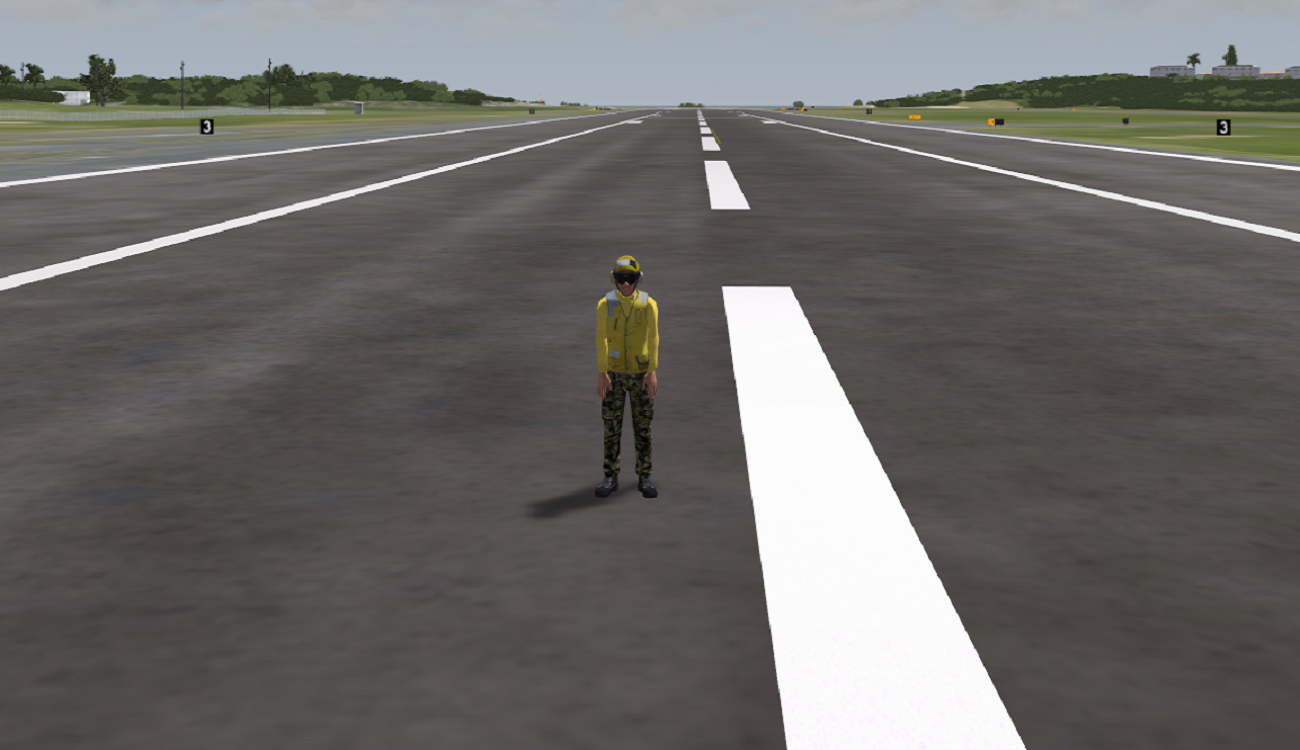
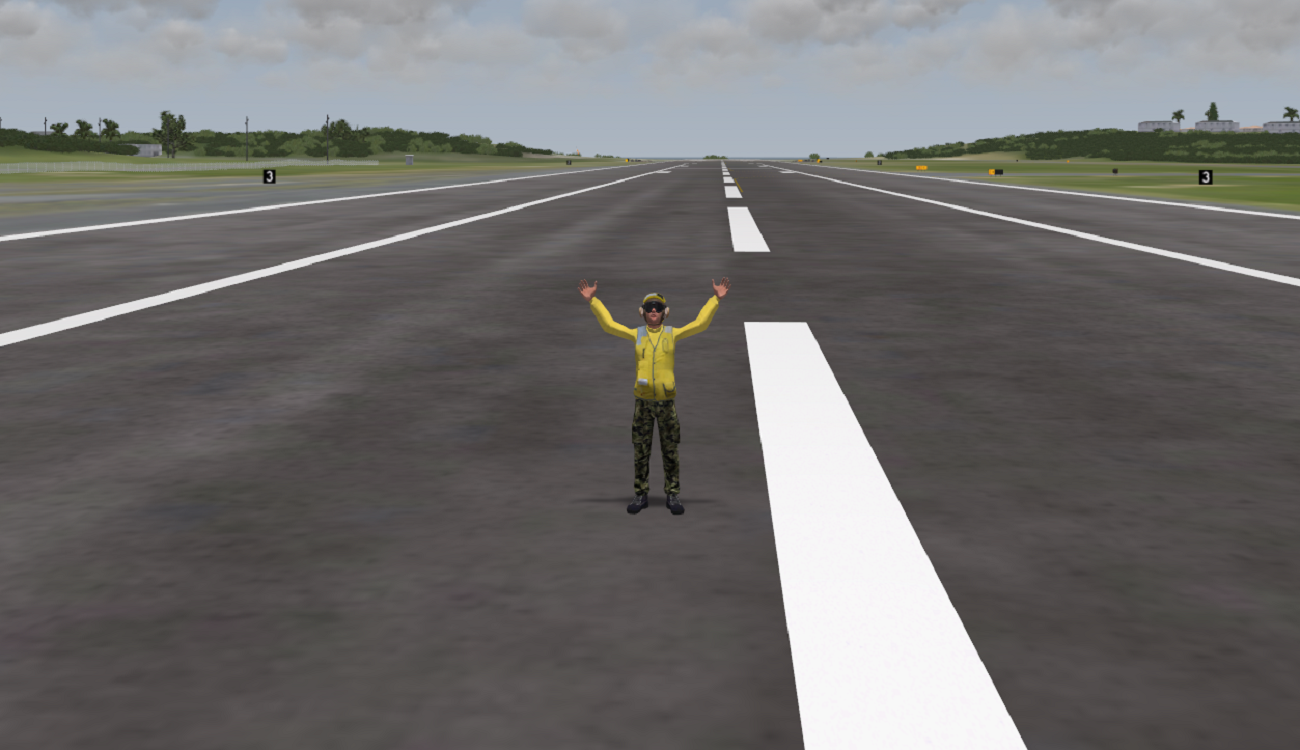
Place a ground actor in the scene and enable an animation
This scenario walks through placing a ground actor in the scene and then enabling a pre-defined animation. This assumes that the full animation library is being referenced via GroundActorAnimsCfgFile.
If using AeHost:
- Click on the Database tab, under Region select Hawaii.
- Under positions select the 0224_Pri_Oahu_PHNG_KANEOHE_BAY predefined position.
- On the ownship tab, select Alt of 20.0 and Heading of 312.0
- On the Targets Tab under Target Creation select Ground Actor and choose 1 then click Create.
- Click the Conform checkbox
- Move the ground actor closer to the eyepoint using the movement controls
- Rotate the heading to 129.0 degrees.
- Observe the ground actor facing the camera
- Click on the Visual Model and Special Effects tab. Select
If setting values directly in Spy:
- Set ownship.pos[0] to 21.450399
- Set ownship.pos[1] to -157.768005
- Set ownship.pos[2] to 20.0
- Set ownship.orient.yaw to 312.0
- Set ground_actor_hv[0].type to 1
- Set ground_actor_hv[0].conform to 1
- Set ground_actor_hv[0].position[0] to 21.450475
- Set ground_actor_hv[0].position[1] to to -157.7679
- Set ground_actor_hv[0].heading to 129.0
- Set ground_actor_hv[0].action to 130 to enable the waving arms animation.
Ground Actor CIGI Packets
Entity Control Packet for Ground Actors
| CIGI Packet Parameter | Value and Range | Nova Variable Mapping |
|---|---|---|
Entity ID | Host determined | N/A |
Entity Type | 11001 - 11999 | ground_actor_hv[x].type |
Parent ID | Valid CIGI Entity ID | ground_actor_hv[x].parent.type ground_actor_hv[x].parent.id |
Roll | -180.0 - 180.0 | ground_actor_hv[x].roll |
Pitch | -90.0 - 90.0 | ground_actor_hv[x]pitch |
Yaw | 0.0 - 360.0 | ground_actor_hv[x].heading |
Latitude / X Offset | Degrees if absolute Meters if parented | ground_actor_hv[x].position[0] |
Longitude / Y Offset | Degrees if absolute Meters if parented | ground_actor_hv[x].position[1] |
Altitude / Z Offset | Feet if absolute Meters if parented | ground_actor_hv[x].height |
Component Control Packets for Ground Actors
| Component Class EntityV3 (0) | |||
|---|---|---|---|
| CompID | Field | Description | Control Parameter |
| 0 | Update Mode | ground_actor_hv[i].update_mode | CompState |
| 1 | Conformity | ground_actor_hv[i].conform | CompState |
| 2 | Xform Mode | ground_actor_hv[i].xform_mode | CompState |
| 3 | Action | ground_actor_hv[i].action | CompData[0] as unsigned short |
| 4 | Collide Mode | ground_actor_hv[i].collide_mode | |
| 5 | Parent Attachment Point | ground_actor_hv[i].parent_attachment_point | CompState |
| 6 | ID | ground_actor_hv[i].id | CompData[0] as unsigned short |
| 7 | Speed | No direct mapping. If the ground actor speed is > GroundActorSpeedThreshold then the action is set to 0. | CompData[0] as float |
| 8 | Behavior Goal | ground_actor_hv[i].behavior.goal | CompData[0] as unsigned short |
Action | ground_actor_hv[i].action | CompData[1] as unsigned short | |
| 9 | Behavior ID | ground_actor_hv[i].behavior.id | CompData[0] as unsigned short |
Behavior Repeat | ground_actor_hv[i].behavior.repeat | CompData[1] as unsigned short | |
Ground Actor FX Tuning
No recommended FX Tuning