
novaHost - GUI Overview
The Nova Host GUI is closed source to abstract features that are outside the scope of host-side pC-Nova integration and development.
The Nova Host SDK is designed to streamline the provided open source code to focus on CIGI integration and development without needlessly including things like GUI implementation details.
Compact View
When you first start Nova Host with the default settings it will start in Compact View as shown below.
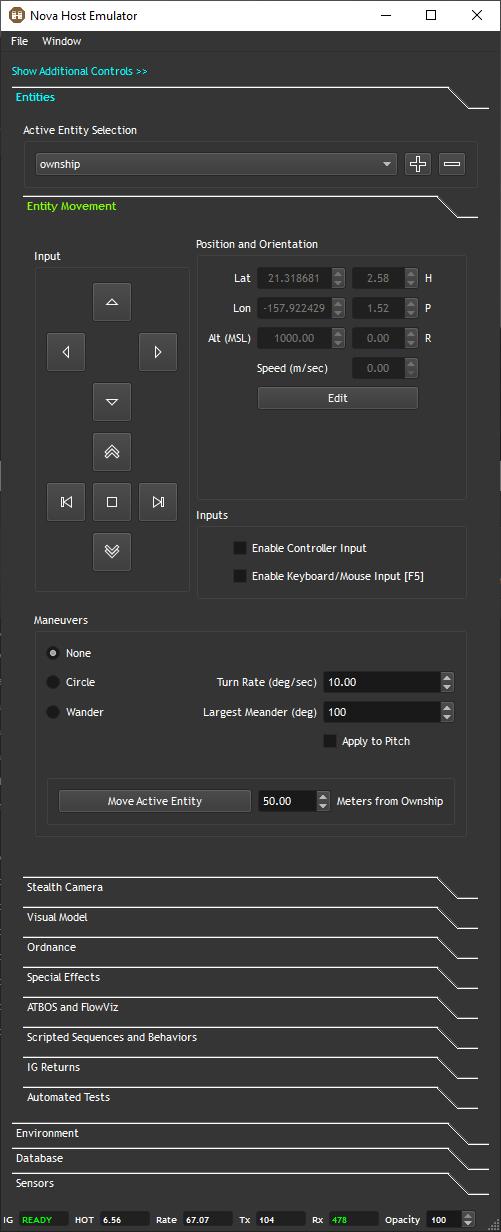
In Compact View, Plugins are displayed as vertical tabs. Their visibility can be toggled using the Window menu.
Note that all plugin tabs are explained in more detail later in this guide.
Expanded View
Clicking Show Additional Controls >>, or deselecting Compact View in the Window menu will show Nova Host's expanded view.
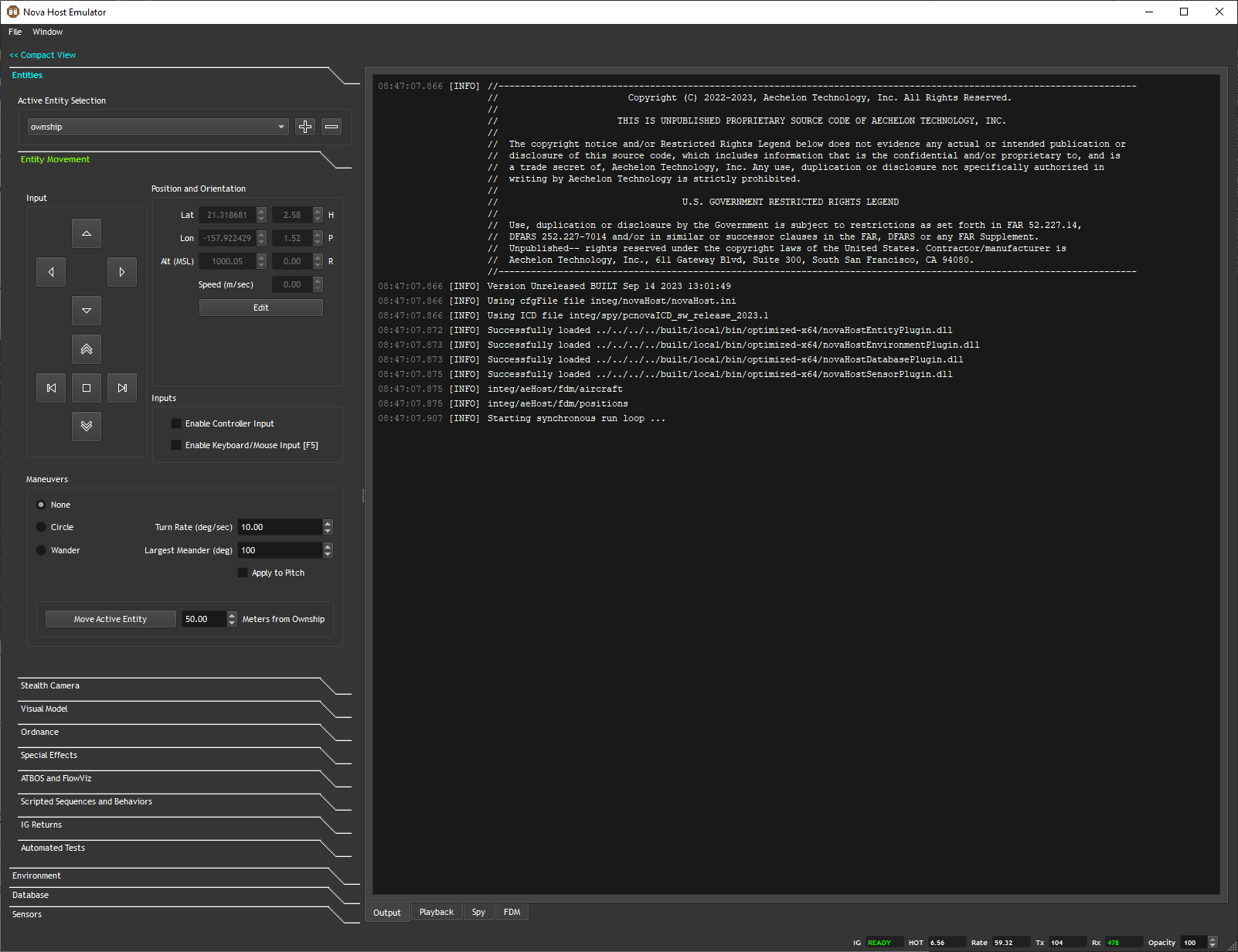
The expanded view provides access to some additional closed source features included in Nova Host.
Output is a simple console displaying application output which Plugins can also access.
Playback provides controls for playing back pC-Nova path files (*.pth) or Spy Logs (*.spy) through CIGI.
Spy functions the same as the IG side Spy tool. In Nova Host it allows you to spy or override and ICD field which will then be translated to CIGI and sent to the IG by aeRosetta.
FDM stands for Flight Dynamics Model and it allows users to used a JSBSim flight model to pilot the ownship or an air target.
Note that all expanded view tabs are explained in more detail later in this guide.
Status Bar
The status bar shows some statistics about the application. Note that in synchronous mode these will display NA if the IG is not running.
IG displays the IG status; Ready or Loading (based on the pcnova2Host->ig2ios.cnt.exe_visok ICD field).
HOT shows the current ownship Height of Terrain (HOT) returned from the IG (pcnova2host->ig2h.dat.ownship_height).
Rate is the current Nova Host update rate in Hz.
Tx displays the current CIGI send packet size in bytes.
Rx displays the current CIGI receive packet size in bytes.
Opacity allows the user to change the opacity of the GUI.