
Time of Day
Time of Day Overview
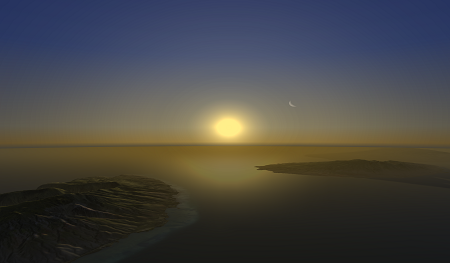
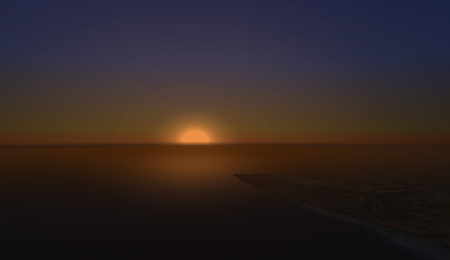
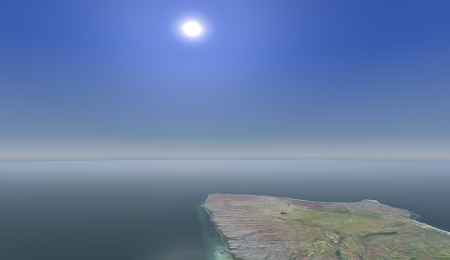
The Time of Day can be manipulated to display Nova in different scene scenarios.
| Visual Examples | |
|---|---|
Time of day - Dawn. | Time of day - Dusk. |
Time of day - Midday.
| |
Time of Day Configuration
No configuration needed.
Time of Day Usage
Time of Day ICD Interface
Time Of Day ICD Variables
NAME                             | DESCRIPTION                   | RANGE
_________________________________________________________________________________________
ios2ig.dat.tofday.year           | 1900 to 2100 in years         | 1900 - 2100
ios2ig.dat.tofday.month          | 1 to 12 in months             | 1 - 12
ios2ig.dat.tofday.day            | 1 to 31 in days               | 1 - 31
ios2ig.dat.tofday.seconds        | 0 to 59 in seconds            | 0 - 59
ios2ig.dat.tofday.minutes        | 0 to 59 in minutes            | 0 - 59
ios2ig.dat.tofday.hours          | 0 to 23 in hours              | 0 - 23
Time of Day Runtime Operation
Runtime Scenario - Set a Dawn Scene.
Scenario:
Visual Example 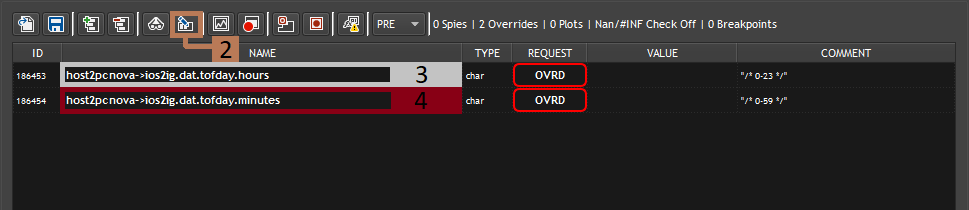
NOTE: Variables will be addressed without the "ios2ig.dat.tofday." for simplicity after step 1.
- Get the following variables and add them to Spy.
- ios2ig.dat.tofday.hours
- ios2ig.dat.tofday.minutes
- Select all of the variables and click "Override all selected variables" to override all of the variables at once.
- Locate the variable hours and change the value to 6.
- Locate the variable minutes and change the value to 05.
- Get the following variables and add them to Spy.
Time of Day AeHost Usage
AeHost Scenario - Set a Dusk Scene.
Scenario:
Visual Example 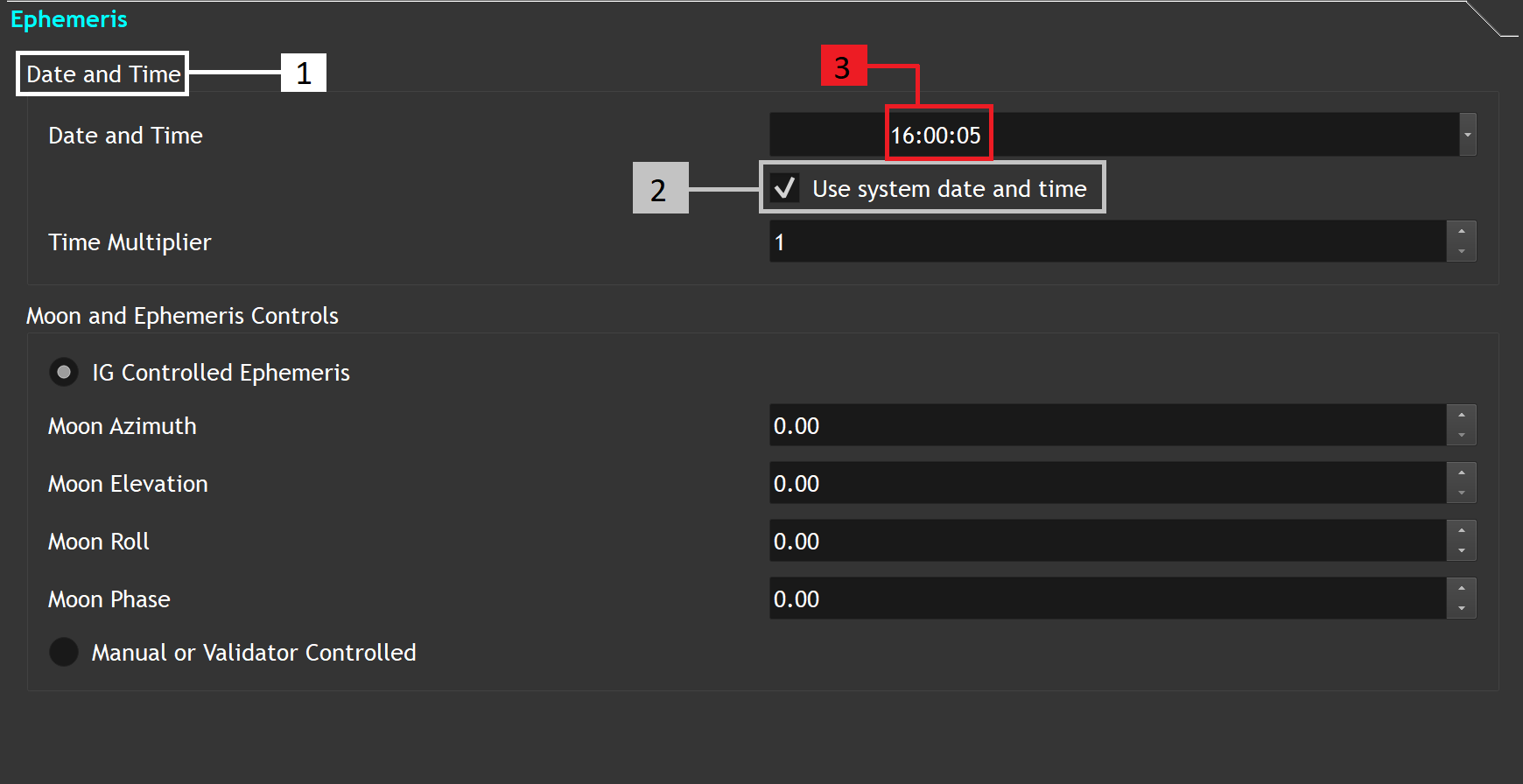
- Locate the Date and Time section.
- Locate the "Use system date and time" checkbox and uncheck it.
- In the Date and Time value line, change the hour value to 17; change the minute value to 45.
- Locate the Date and Time section.
Time of Day CIGI Packets
Component Control Packet for Celestial Sphere Control
| CIGI Class | CigiCelestialCtrlV3 | ||
|---|---|---|---|
| CIGI Base Class | CigiBaseEnvCtrl | ||
| Packet ID | 9 | ||
| Packet Size (bytes) | 16 | ||
| SpyClient Lookup | host2pcnova → ios2ig.dat.tofday | ||
| Parameter | Type | Description | Range |
| hour | char | Specifies the current hour of the day within the simulation. | 0 - 23 |
| minute | char | Specifies the current minutes of the day within the simulation. | 0 - 59 |
| ephemeris enable | 1-bit field | Controls whether the time of day is static or continuous. 0 = Disable (Static time of day) 1 = Enable (Continuous time of day) | 0 - 1 |
| date | unsigned int | Specifies current date within the simulation. format: MMDDYYYY | 0 - MAX UINT |
Component Control Packet for Seconds
| Structure Type | char | |||
|---|---|---|---|---|
| Packet ID | 255 | |||
| Packet Size (bytes) | 7 | |||
| SpyClient Lookup | host2pcnova→ios2ig.dat.tofday.seconds | |||
| Parameter | Type | Description | Range | |
| Seconds | char | 0 to 59 in seconds of time of day. | 0 - 59 | |
Time of Day FX Tuning
FX Tuning for Time of Day
| Token Name | Default Value | Accepted Value | Description | Token Source File |
|---|---|---|---|---|
| TOD_AUTO_CITY_GLOW | FALSE | Automatic city glow. | TimeOfDay.fx | |
| CITY_GLOW_DB_NAME | "sh21/cityGlowDB.cfg" | The city glow DB name. | ||
| NVG_LOBE_ATTEN_HEIGHT | 3000.0 | NVG lobe attenuation height. | ||
| NVG_LOBE_ATTEN_SCALE | 1.0 | NVG lobe attenuation scale. | ||
| OPAQUE_CLOUD_LAYER_ATTEN | 0.97 | Opaque cloud layer attenuation. | ||
| OPAQUE_CLOUD_LAYER_NVG_ATTEN_FACTOR | 0.1 | Opaque cloud layer NVG attenuation. | ||
| OPAQUE_CLOUD_LAYER_NVG_STARLIGHT_ATTEN_FACTOR | 0.6 | Opaque cloud layer NVG starlight attenuation. | ||
| OTW_SUN_AMB_SCALE | 0.7 | OTW sun ambient scale. | ||
| OTW_SUN_AMB_TINT | 0.25 | OTW sun ambient tint. | ||
| OTW_SUNRISE_SUNSET_ELEV_1 | -7.5 | Sunrise and sunset interpolation elevation 1. | ||
| OTW_SUNRISE_SUNSET_ELEV_2 | 7.5 | Sunrise and sunset interpolation elevation 2. | ||
| OTW_SUNRISE_SUNSET_ELEV_3 | 37.5 | Sunrise and sunset interpolation elevation 3. | ||
| MOON_FOG_ATTEN_INT | 0.9 | How much fog attenuates OTW moon illum. | ||
| MOON_FOG_ATTEN_RANGE | 15000.0 | How much fog range attenuates moon illum. | ||
| OTW_AMB_FULL_MOON_VALUE | 0.2 | Ambient moon light scalar - amount of (OTW) ambient light during a full moon. | ||
| OTW_AMB_FADE_MOON_ELEVATION_START | 12.0 | Ambient moon light will start to fade out (in OTW) when the moon elevation is reaches this number. | ||
| OTW_AMB_FADE_MOON_ELEVATION_END | -12.0 | Ambient moon light will be at the Night / Dark level (in OTW) when the moon elevation is below this number (can be negative). Set equal to _otw_amb_fade_moon_elevation_start to disable the effect. | ||
| NVG_STARLIGHT_MOON_ILLUM_BLEND | 0.8 | NVG Starlight moon illumination blend factor. | ||
| NVG_STARLIGHT_AMBIENT_FACTOR | 2.0 | NVG Starlight ambient factor. | ||
| HDR_AMBIENT_COLOR_0_CLEAR_SKY | 0.4, 0.4, 0.5 | Ambient colors for each of the 4 zones for clear sky. | ||
| HDR_AMBIENT_COLOR_1_CLEAR_SKY | 0.4, 0.5, 0.55 | |||
| HDR_AMBIENT_COLOR_2_CLEAR_SKY | 0.55, 0.65, 0.8 | |||
| HDR_AMBIENT_COLOR_3_CLEAR_SKY | 0.9, 0.9, 0.95 | |||
| HDR_AMBIENT_COLOR_0_CLOUDY_SKY | 0.5, 0.5, 0.5 | Ambient colors for each of the 4 zones for cloudy sky. | ||
| HDR_AMBIENT_COLOR_1_CLOUDY_SKY | 0.5, 0.5, 0.5 | |||
| HDR_AMBIENT_COLOR_2_CLOUDY_SKY | 0.5, 0.5, 0.5 | |||
| HDR_AMBIENT_COLOR_3_CLOUDY_SKY | 0.9, 0.9, 1.0 | |||
| HDR_LIGHTING_TODVAL_COLOR_1 | 0.20 | |||
| HDR_LIGHTING_TODVAL_COLOR_2 | 0.45 | |||
| HDR_LIGHTING_COLOR_0 | 1.0, 0.12, 0.0 | HDR lighting color. | ||
| HDR_LIGHTING_COLOR_1 | 1.0, 0.5, 0.3 | |||
| HDR_LIGHTING_COLOR_2 | 1.0, 0.72, 0.23 | |||
| HDR_LIGHTING_COLOR_3 | 1.0, 0.9, 0.85 | |||
| HDR_SHADOW_ATTENUATION_FOG_RANGE_START | 5000 | Shadow attenuation for range start value. | ||
| HDR_SHADOW_ATTENUATION_FOG_RANGE_END | 60000 | Shadow attenuation fog range end value. | ||
| HDR_LIGHTING_ATTENUATION_FOR_SNOW | 0.3 | Lighting attenuation during snow. | ||
| INCLUDE_LIGHTING_IN_HOST_RETURNED_AMBIENT | FALSE | Whether or not to include lightning in the ambient color returned to the host. | ||
| AMBIENT_COLOR_SUN_WEIGHT | 0.25 | Percentage of the ambient color attributed to sun: 0.0: Full Sky Color 1.0: Full Sun Ambient |