
Stealth
Stealth Channel Overview
Nova supports the concept of stealth channels. These are OTW channels that typically act as third person views of the ownship. They are controlled as a weapon channel similar to Nova sensor channels.
Stealth Channel Cluster Configuration
The channel is setup similar to a normal OTW channel with the primary difference being it has a Weapon ID defined. The allows the channel to be independently controlled from the main eyepoint.
##########################################
#Channel 15 - STEALTH
##########################################
CH15_NAME                        STEALTH
CH15_IGMODE                      OTW
CH15_WINSIZE_X                   1920
CH15_WINSIZE_Y                   1200

CH15_PIXEL_DEPTH                 32
CH15_ZBUFFER_DEPTH               32
CH15_STENCIL_DEPTH               0
CH15_MULTISAMPLE_MODE            8XQ


#FOV for Monitors (1.6 aspect ratio)
FOV_CH15_X_L                     30.0
FOV_CH15_X_R                     30.0
FOV_CH15_Y_T                     18.75
FOV_CH15_Y_B                     18.75

OFFSET_HOR_CH15                  0.0
OFFSET_VERT_CH15                 0.0
OFFSET_ROLL_CH15                 0.0

CH15_WEAPON_ID                   9
Stealth Channel Weapon Configuration
Since the stealth channel is not setup as a sensor no additional configuration file or dll is needed.
##########################################
#Weapon 9 - Stealth
##########################################
Weapon9_Name                                "Stealth"
Weapon9_SensorIdList                        -1
Weapon9_DigitalSensorResolutionX            1024
Weapon9_DigitalSensorResolutionY            1024
Weapon9_DigitalSensorNumSamples             4
Weapon9_DigitalSensorReadbackLevel          4
Weapon9_DigitalSensorPolygonAspect          1.0
Weapon9_DigitalSensorPreStabArrayAspect     1.0
Stealth Channel Override File
INCLUDE versions/n8.0/renderOTWStealth.cfg
INCLUDE versions/n8.0/nucleus.cfg
Stealth Channel Data Configuration
To define a stealth channel model, add a full model reference in the targets file under the ASIGN_MAP section. In the below example the user will see the full TH-73 model in the stealth channel when enabling w2ig[x].ownship_mdl 1. The ownship model is shown referenced in the ASIGN_OWN section and depending on the simulation type may be a model with limited geometry such as rotor only.
Targets List - Ownship and Stealth Channel Model Definitions |
|---|
list_type ASIGN_OWN |
Stealth Channel Usage
Stealth Channel ICD Interface
The stealth channel is controlled through Nova's weapon channel interface. This is similar to how sensors are controlled. You can define the view type as absolute, relative hpr or full relative and then the position and orientation. The user can also parent this channel to an existing entity in the scene. Additionally the user can control the field of view of the channel
.
Stealth Channel ICD Interface |
|---|
|
Stealth Channel Runtime Operation
Show a stealth model: Through either the host, spy, path, etc. set the following properties. Ensure position is set somewhere in your view (applies to the other steps).
Stealth Channel Model - Rear View w2ig[x].viewType 0 This shows the stealth channel viewing the ownship model from the rear.
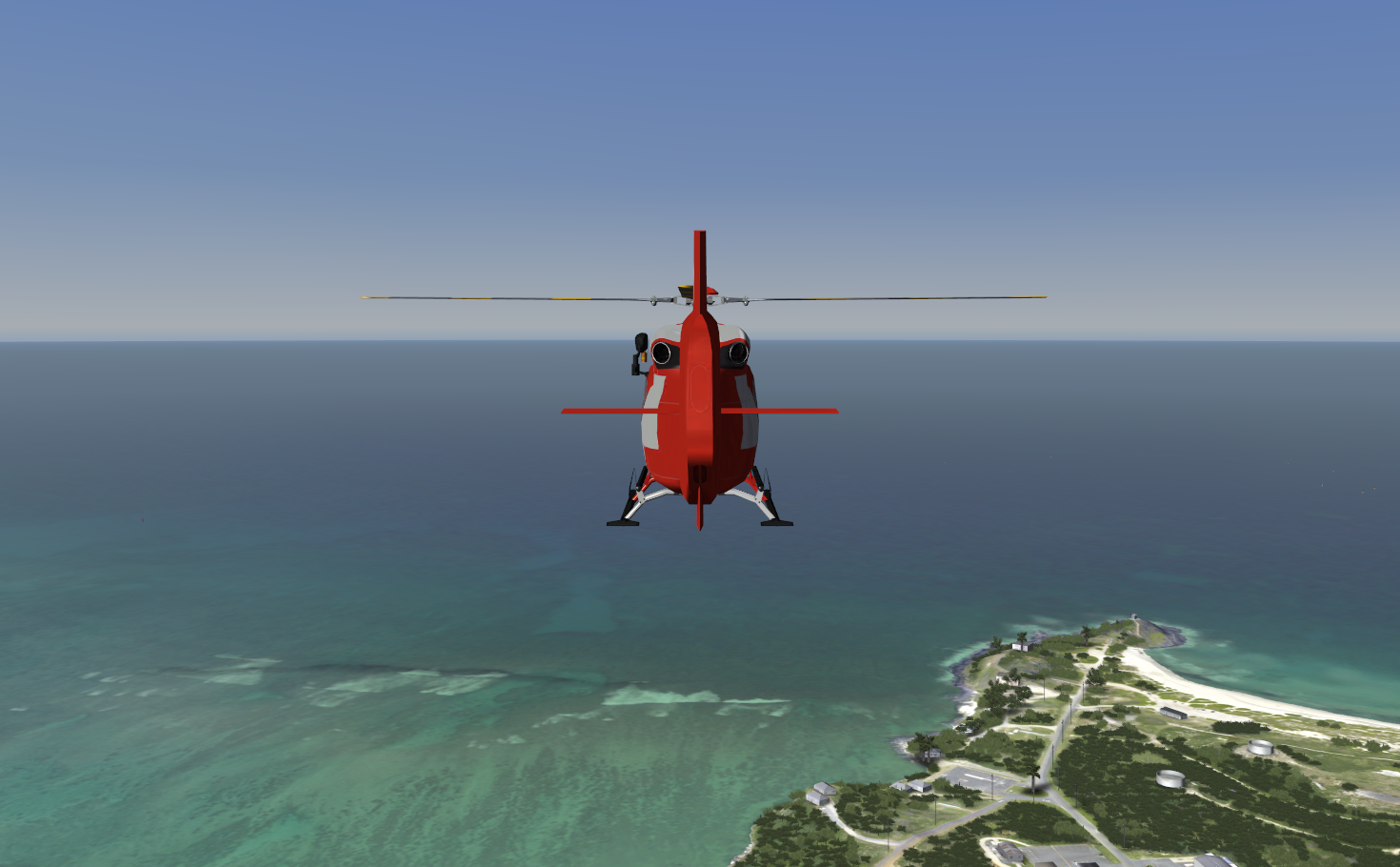
w2ig[x].view.pos[1] -20 w2ig[x].ownship_mdl 1 Change the view
Stealth Channel Model - Side View w2ig[x].viewType 0 This shows the stealth channel looking at the ownship model from the side
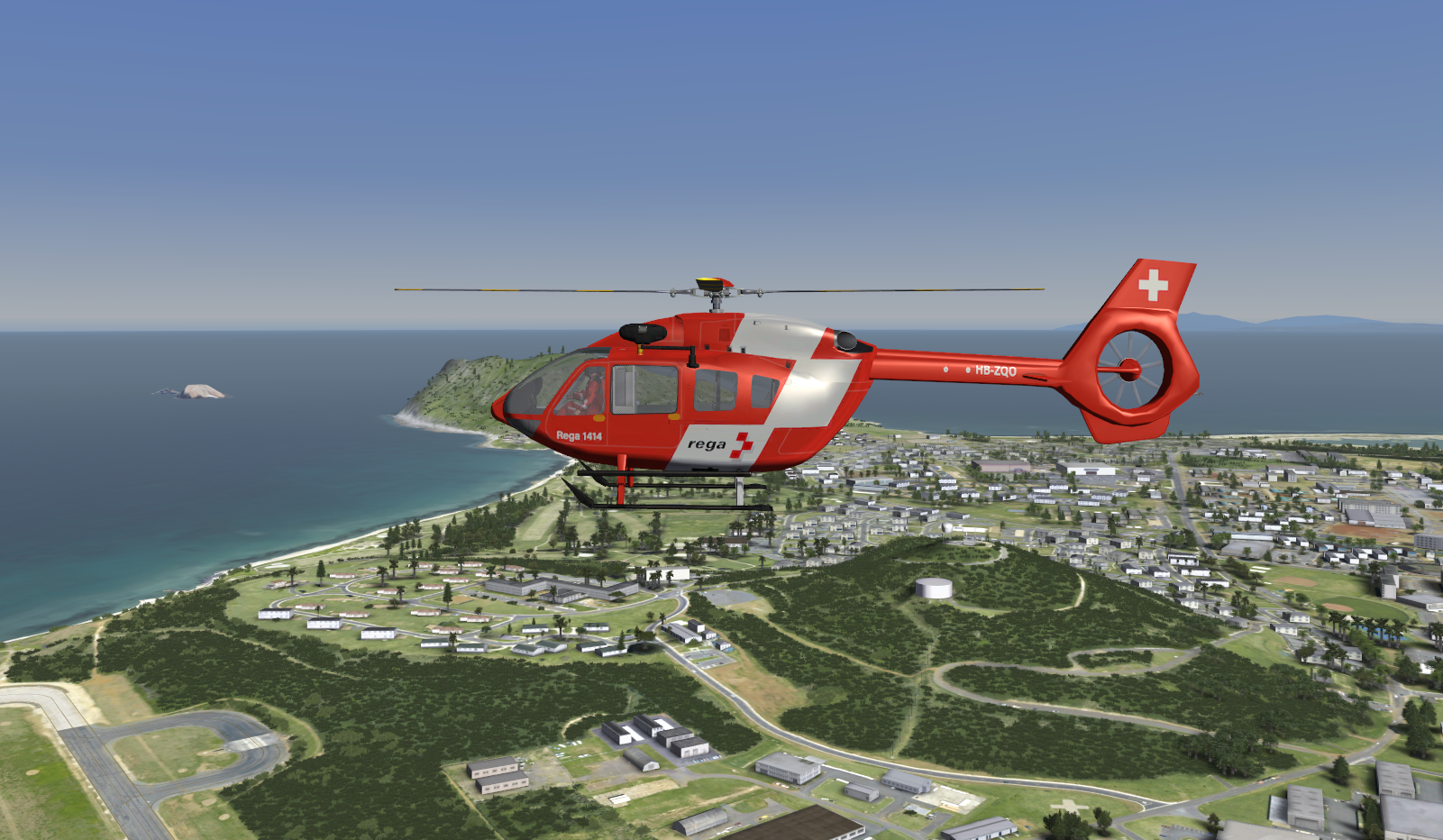
w2ig[x].view.pos[0] 20 w2ig[x].view.pos[1] 0 w2ig[x].view.orient.yaw -90 w2ig[x].ownship_mdl 1
Stealth Channel AeHost Usage
AeHost Scenario - Control a Stealth Channel
AeHost is capable of controlling the scene similar to a stealth channel. The primary controls for stealth view are within the Camera Tab; however, for those controls, AeHost manipulates the ownship data directly. This is meant to be a more universal stealth camera view for systems that aren't setup with a separate stealth channel configuration. Controlling the stealth channel on the sensor tab is done using absolute positioning.
Stealth Channel CIGI Packets
View Control Packet for Weapon and Sensor Channels
The positioning and parenting parameters of the stealth channel are controlled by the CIGI View Control Packet.
| Packet Parameter | Value and Range | Nova Variable Mapping |
|---|---|---|
| View ID | ID of weapon/sensor | w2ig[<View ID>] |
| Group ID | 0 | N/A |
| Entity ID | 0 if not parented CIGI Entity ID of Parent | w2ig[<View ID>].parent.id w2ig[<View ID>].parent.type |
| X Offset | Latitude if absolute or X offset in meters | w2ig[<View ID>].orient.pos[0] |
| Y Offset | Longitude if absolute or Y offset in meters. | w2ig[<View ID>].orient.pos[1] |
| Z Offset | Altitude in feet if absolute or Z offset in meters. | w2ig[<View ID>].orient.pos[2] |
| Roll | -180.0 to 180.0 | w2ig[<View ID>].orient.roll |
| Pitch | -90.0 to 90.0 | w2ig[<View ID>].orient.pitch |
| Yaw | 0 to 360 | w2ig[<View ID>].orient.yaw |
Component Control Packets for Weapon and Sensor Channels
The view type of the stealth channel is defined with a CIGI Component Control Packet. The user can switch between relative and absolute positioning of the stealth channel.
| Packet Parameter | Value and Range | Nova Variable Mapping |
|---|---|---|
| View ID | Weapon/Sensor ID | w2ig[<View ID>] |
| Comp ID | 1 | N/A |
| Comp State | 0: Relative XYZ and Absolute HPR 1: Absolute XYZHPR 2: Relative XYZHPR 3: Relative Head Tracker | w2ig[<View ID>].viewType |
Field of View for Stealth Channels is controlled using component control packets as shown below.
| Packet Parameter | Value and Range | Nova Variable Mapping |
|---|---|---|
| View ID | Weapon or Sensor ID | w2ig[<View ID>] |
| Comp ID | 2 | N/A |
| Comp State | 0: Predefined FOV 1: Dynamic FOV | w2ig[<View ID>].fovEnable |
| Packet Parameter | Value and Range | Nova Variable Mapping |
|---|---|---|
| View ID | Weapon or Sensor ID | w2ig[<View ID>] |
| Comp ID | 3 | N/A |
| Comp Data (0) as float | [ 0.0 - 90.0 ] | w2ig[<View ID>].fovX |
| Comp Data (1) as float | [ 0.0 - 90.0 ] | w2ig[<View ID>].fovY |
Stealth Channel FX Tuning
No specific stealth channel FX tuning available.