
Cloud Layers
Clouds Overview
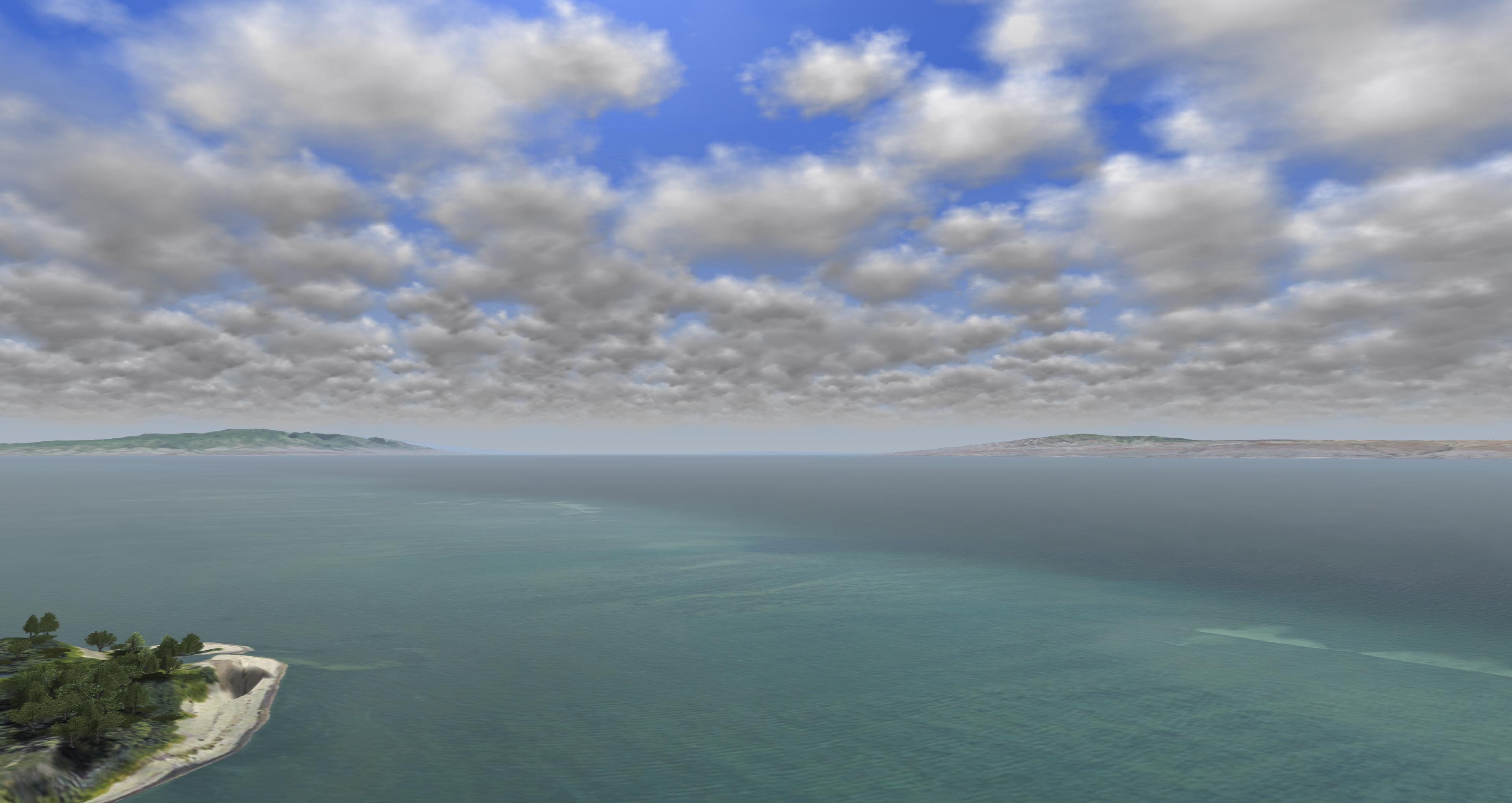
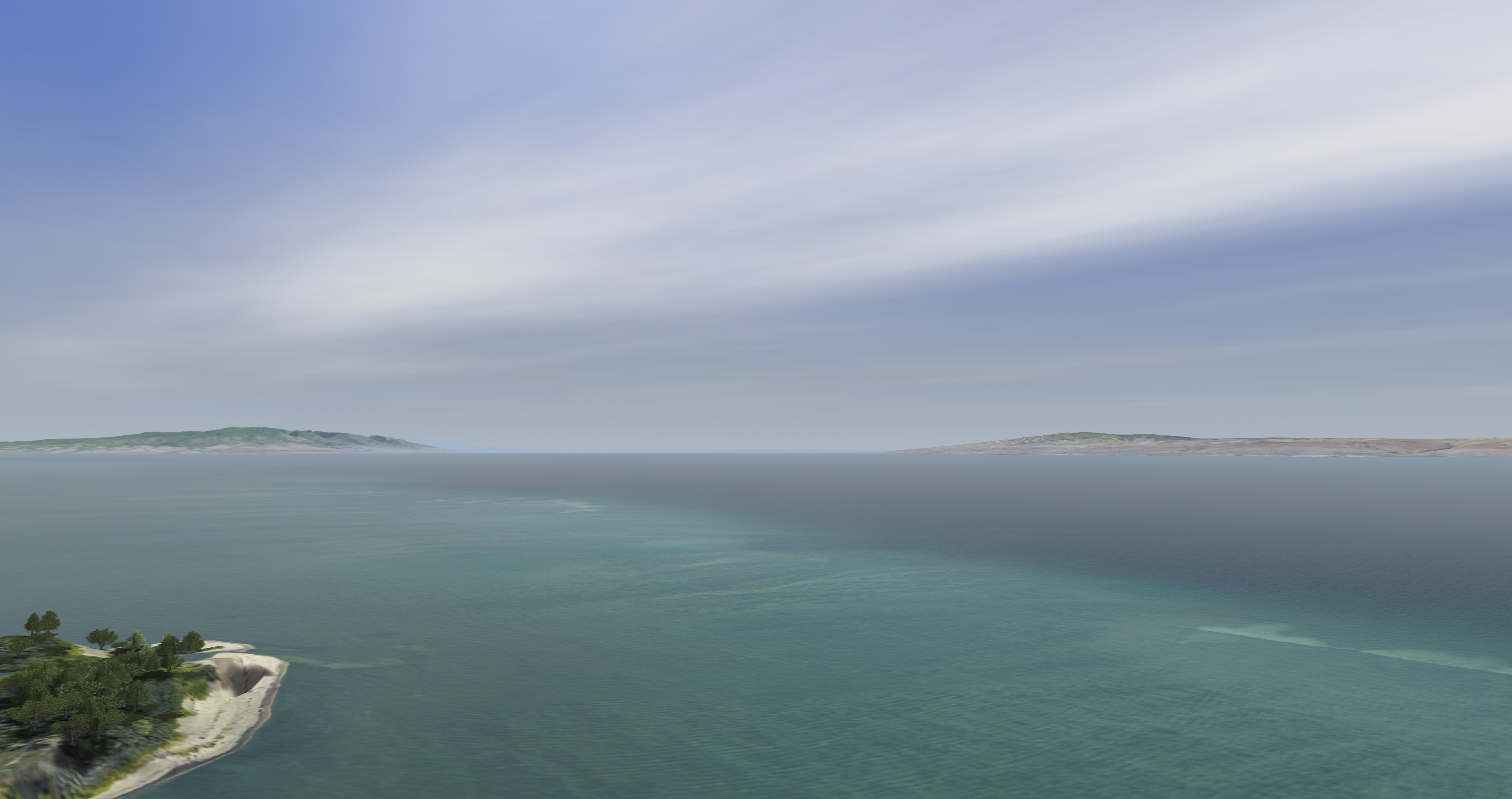
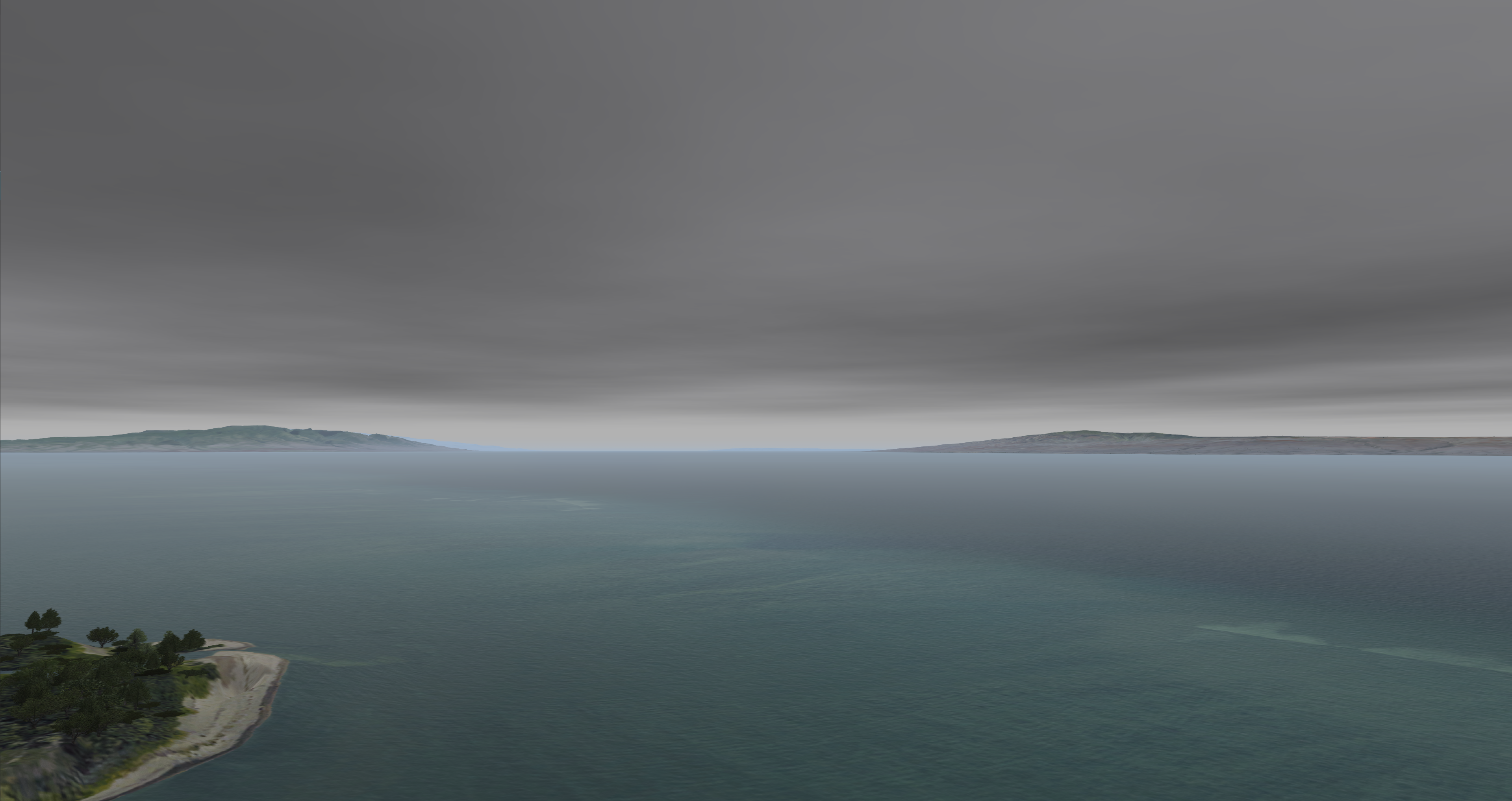
The purpose of clouds in Nova is to demonstrate different sky variations.
- The clouds can be affected by wind speeds and direction.
- Different 3D Cloud types can be found here.
- Different 3D Cloud evolution types can be found here.
| Visual Examples | |
|---|---|
Stratus Clouds
| Cirrus Clouds
|
Cumulus Clouds
| |
Clouds Configuration
Clouds Token Configuration
Clouds Data Configuration
None.
Clouds Usage
Clouds ICD Interface
Clouds ICD Variables
Nova Variable | Description |
|---|---|
| ios2ig.dat.cloud_layerX | Type of cloud layer |
| ios2ig.dat.cloud_layer_colorX | Color of cloud layer 0: Default 1 (Lightest) - 4 (Darkest) |
| ios2ig.dat.cloud_layer_densityX | Layer density control -1: Enables regions 0 - 100 |
| ios2ig.dat.cloud_softnessX | Determines how soft or sharp the cloud layer's edges are -127 (Sharper) - 127 (Softer) |
| ios2ig.dat.cloud_shadow_control | Shadow density control -1: Force Off 0: No Control (On) 1 - 127 |
| ios2ig.dat.cloud_top_scud_intensityX | Top scud intensity 0 - 127 |
| ios2ig.dat.cloud_bottom_scud_intensityX | Bottom scud intensity 0 - 127 |
| ios2ig.dat.cloud_heightX | Ceiling height in feet |
| ios2ig.dat.cloud_bottomX | Bottom height in feet |
| ios2ig.dat.cloud_thickX | Thickness of cloud layer [x] 0.0 - 1.0 |
Cloud Regions ICD Variables
Nova Variable | Description |
|---|---|
| ios2ig.dat.cloud__regionsX[x].region_active | 0 - 1 (Off, On) |
| ios2ig.dat.cloud__regionsX[x].region_width | East to West width in meters |
| ios2ig.dat.cloud__regionsX[x].region_height | North to South width in meters |
| ios2ig.dat.cloud__regionsX[x].region_rotation | 0.0 - 360.0 |
| ios2ig.dat.cloud__regionsX[x].region_position[0] | Position of region center (latitude) in degrees |
| ios2ig.dat.cloud__regionsX[x].region_position[1] | Position of region center (longitude) in degrees |
| ios2ig.dat.cloud__regionsX[x].region_density | 0 to 100 percent |
3D Cloud ICD Variables
Nova Variable | Description |
|---|---|
| h2ig.dat.fx_data.cloud3DX.cloud3D_active | Enable or disable 3D cloud (On, Off) |
| h2ig.dat.fx_data.cloud3DX.type_cloud3D | Type of 3D cloud |
| h2ig.dat.fx_data.cloud3DX.evol_cloud3D | Type of 3D cloud evolution |
| h2ig.dat.fx_data.cloud3DX.rain_cloud3D | Enable or disable rain shaft (On, Off) |
| h2ig.dat.fx_data.cloud3DX.lightning_cloud3D | Enables cloud to emit lightning if lightning mode is enabled in the weather structure -1: Off, 0: Auto, 1: ON |
| h2ig.dat.fx_data.cloud3DX.siz_cloud3D | Size (radius) in meters |
| h2ig.dat.fx_data.cloud3DX.scud_cloud3D | Scud control 0.0 - 1.0 |
| h2ig.dat.fx_data.cloud3DX.height_cloud3D | Vertical size (radius) in meters / if 0.0, same as siz_cloud3D |
| h2ig.dat.fx_data.cloud3DX.coord_cloud3D[0] | Cloud center (latitude) |
| h2ig.dat.fx_data.cloud3DX.coord_cloud3D[1] | Cloud center (longitude) |
| h2ig.dat.fx_data.cloud3DX.coord_cloud3D[2] | Cloud altitude in feet |
Clouds Runtime Operation
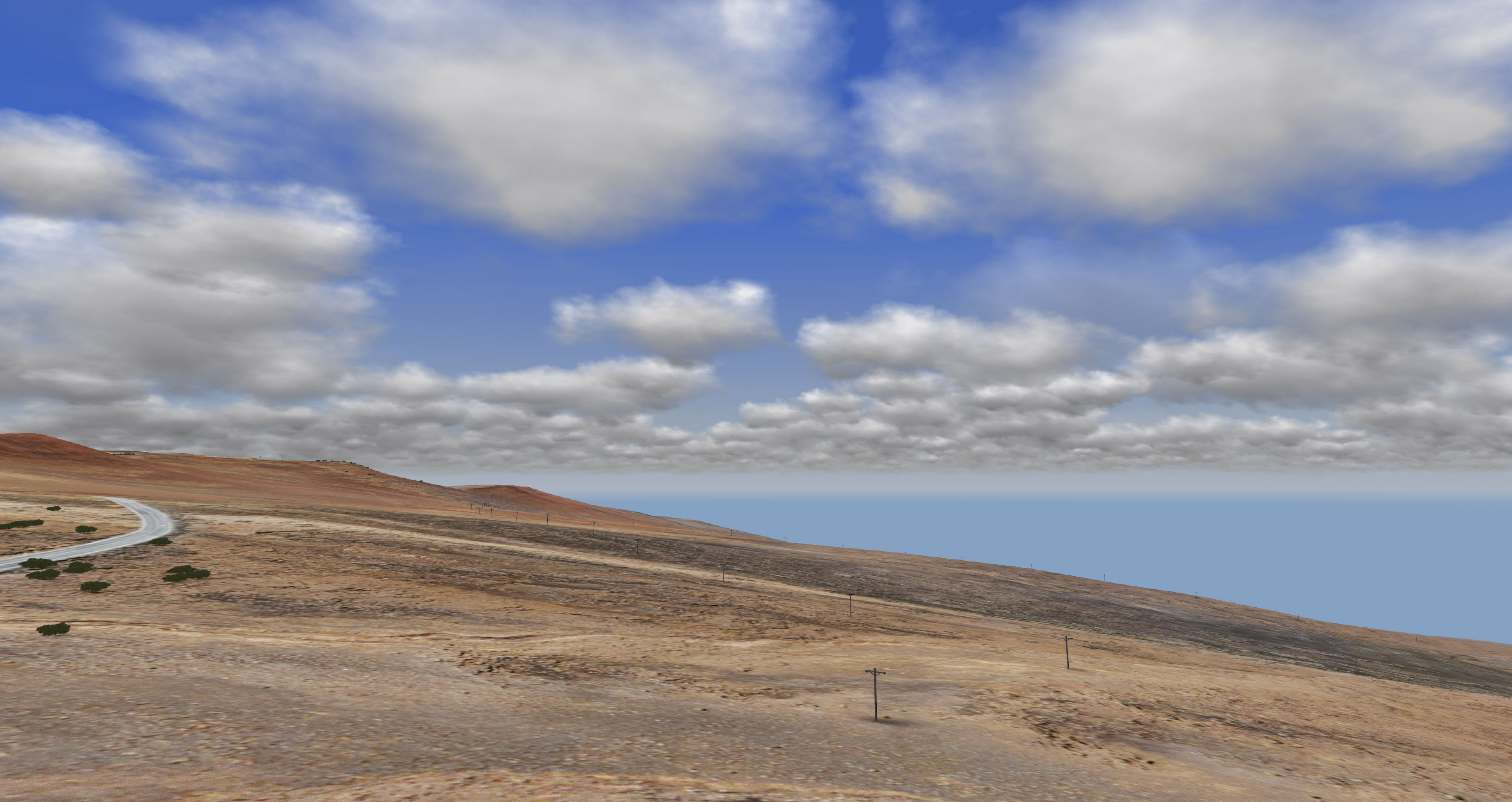
If using AeHost:
- Locate the Cloud Controls section.
- Locate Cloud Layer 1 and click its checkbox.
- Locate the Cloud Layer Type drop down and select "10", (this is the Stratus type).
- Locate the Base, Top (MSL) line; change its Base value to 15000.00 and its Top value to 45000.00.
- Locate the Density % and Softness line; change the Density % value to 45 and the Softness value 65.
- Locate the Top, Bottom Scud Intensity line; change the Top Scud Intensity line to 115 and change the Bottom Scud Intensity line to 110.
- Locate the Color line and change the color to 3.
If setting values directly in Spy:
- Set ios2ig.dat.cloud_layer1 to 8.
- Set ios2ig.dat.cloud_layer_color1 to 4.
- Set ios2ig.dat.cloud_layer_density1 to 75.
- Set ios2ig.dat.cloud_layer_softness1 to 85.
- Set ios2ig.dat.cloud_top_scud_intensity1 to 127.
- Set ios2ig.dat.cloud_bottom_scud_intensity1 to 95.
- Set ios2ig.dat.cloud_height1 to 25000.
- Set ios2ig.dat.cloud_bottom1 to 15000.
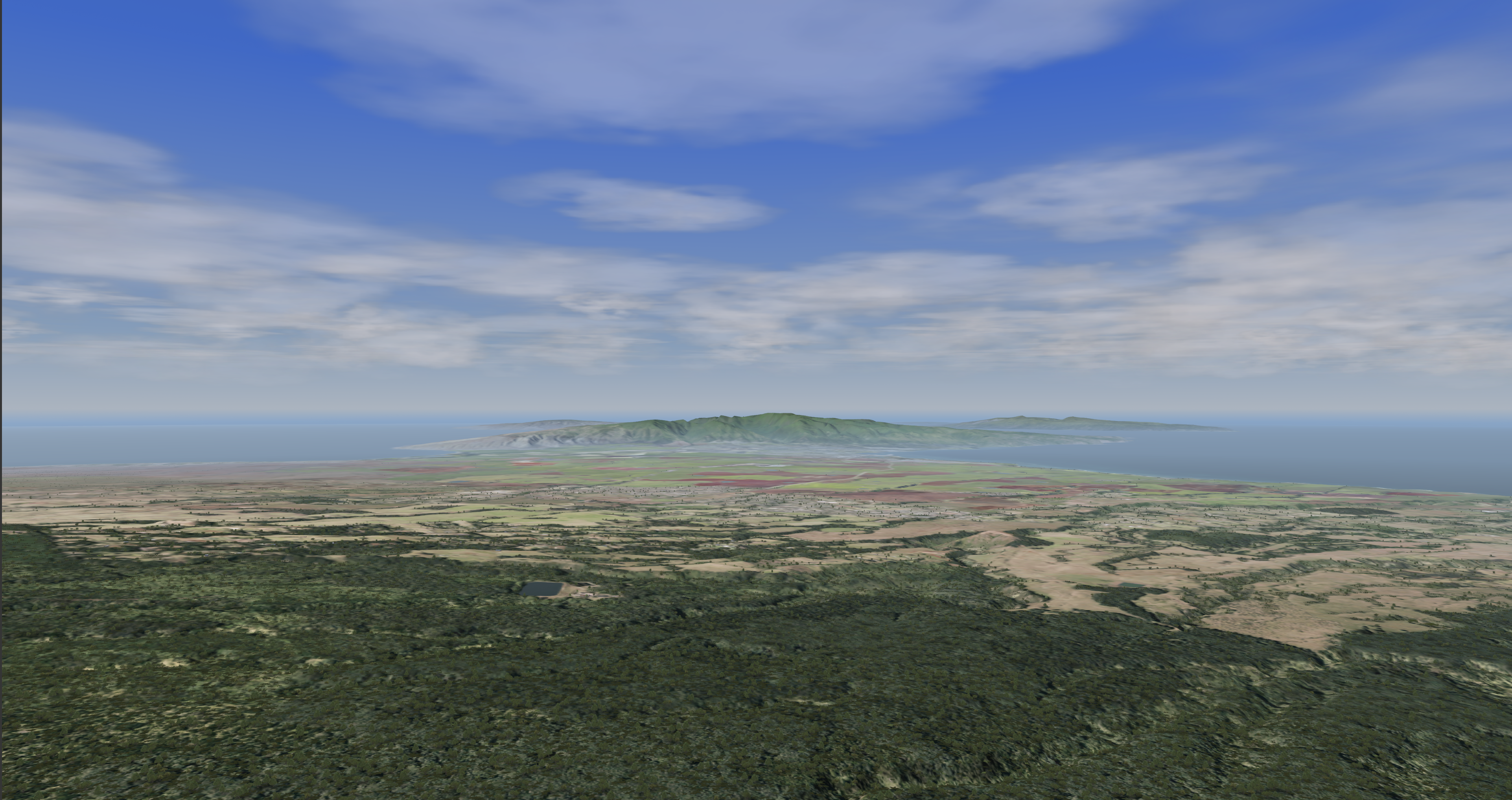
Clouds CIGI Packets
Component Control Packet for Weather Control (Packet Support)
| Layer ID | Weather Effect | SpyClient Mapping | Supported Fields | Description |
|---|---|---|---|---|
| 0 | Ground Fog | ios2ig.dat.fog | Weather Enable | Off / On Flag (0, 1) |
| ios2ig.dat.fog_layer_floor | Base Elevation | Top altitude of full fog where visibility is equal to Visibility Range. (The fog base always extends to the ground - ownship cannot punch below layer). | ||
| ios2ig.dat.fog_layer_ceiling | Thickness (Summed with base elevation) | Thickness of transition band between Base Elevation (full fog) and no fog. | ||
| ios2ig.dat.fog_layer_range | Visibility Range | Visibility range within ground fog. | ||
| 1 | Cloud Layer 1 | N/A | Weather Enable | Off / On Flag (0, 1) |
| ios2ig.dat.cloud_layer1 | Cloud Type | See Cloud Types. | ||
| 7th bit of ios2ig.dat.cloud_layer1 | Scud Enable | Off / On | ||
| ios2ig.dat.cloud_thick1 | Transition | Transition region for scud. | ||
| ios2ig.dat.cloud_bottom1 | Base Elevation | Lowest Cloud level (meters). | ||
ios2ig.dat.cloud_height1 | Top Height (Summed with thickness) | For types 3 and 9 - 12: Top height of cloud layer (Base Elevation + Thickness). Thickness ignored for type 10. All other types: Transition layer thickness - these clouds are 2D. | ||
| ios2ig.dat.cloud_layer_color1 | Severity | Color Enumeration 0: Default 1: Darkest - 4: Lightest | ||
| ios2ig.dat.cloud_layer_density1 | Coverage (Types 9 - 12 only) | Density: 0 - 100 (Less Dense - More Dense). | ||
| ios2ig.dat.cloud_layer_softness1 | Aerosol (Types 9 - 12 only) | Softness: -127 - 127 (Sharper Edge - Softer Edge). 0 is default. | ||
| 2 | Cloud Layer 2 | N/A | Weather Enable | Off / On Flag (0, 1) |
| ios2ig.dat.cloud_layer2 | Cloud Type | See Cloud Types. | ||
| 7th bit of ios2ig.dat.cloud_layer2 | Scud Enable | Off / On | ||
| ios2ig.dat.cloud_thick2 | Transition | Transition region for scud. | ||
| ios2ig.dat.cloud_bottom2 | Base Elevation | Lowest Cloud level (meters). | ||
ios2ig.dat.cloud_height2 | Top Height (Summed with thickness) | For types 3 and 9 - 12: Top height of cloud layer (Base Elevation + Thickness). Thickness ignored for type 10. All other types: Transition layer thickness - these clouds are 2D. | ||
| ios2ig.dat.cloud_layer_color2 | Severity | Color Enumeration 0: Default 1: Darkest - 4: Lightest | ||
| ios2ig.dat.cloud_layer_density2 | Coverage (Types 9 - 12 only) | Density: 0 - 100 (Less Dense - More Dense) | ||
| ios2ig.dat.cloud_layer_softness2 | Aerosol (Types 9 - 12 only) | Softness: -127 - 127 (Sharper Edge - Softer Edge) 0 is default | ||
| 3 | Cloud Layer 3 | N/A | Weather Enable | Off / On Flag (0, 1) |
| ios2ig.dat.cloud_layer_color3 | Severity | Color Enumeration 0: Default 1: Darkest - 4: Lightest | ||
| ios2ig.dat.cloud_layer_density3 | Coverage (Types 9 - 12 only) | Density: 0 - 100 (Less Dense - More Dense) | ||
| ios2ig.dat.cloud_layer_softness3 | Aerosol (Types 9 - 12 only) | Softness: -127 - 127 (Sharper Edge - Softer Edge). 0 is default. | ||
| 4 | Rain | N/A | Weather Enable | Off / On Flag (0, 1) |
ios2ig.dat.rain ios2ig.dat.inten_rain | Severity | Rain Severity 1: Less Severe - 5: More Severe | ||
| 5 | Snow | N/A | Weather Enable | Off / On Flag (0, 1) |
| ios2ig.dat.snow | Severity | Snow Severity 1: Less Severe - 5: More Severe | ||
| 10 | Lightning (Aechelon Extension) | ios2ig.dat.lightning | Weather Enable | Off / On Flag (0, 1) |
| Severity | 1: Less Severe - 3: More Severe | |||
| 11 | Sea State (Aechelon Extension) | N/A | Weather Enable | Off / On Flag (0, 1) |
| ios2ig.dat.sea_state.sea_state | Severity | Sea State 1: Calm - 5: Not Calm | ||
| ios2ig.dat.sea_state.sea_roughness | Thickness | Sea Roughness 1: Less Rough - 5: More Rough | ||
| ios2ig.dat.sea_state.sea_wind_speed | Horizontal Wind Speed | Wind speed for waves (knots). | ||
| ios2ig.dat.sea_state.sea_wind_dir | Wind Direction | Wind direction for waves (degrees). | ||
| 12 | Haze (Aechelon Extension) | N/A | Weather Enable | Off / On Flag (0, 1) |
ios2ig.dat.visib_general ios2ig.dat.visib_fog ios2ig.dat.fog_range | Visibility Range | Range (meters). | ||
ios2ig.dat.layered_haze_intensity | Coverage | Intensity of layered haze effect (0.0 - 1.0). | ||
ios2ig.dat.haze_tint | Thickness | De-saturate blue tint of haze effect (0.0 - 1.0). 0.0 is default value. | ||
| 13 | Windshield Wipers (Aechelon Extension) | N/A | Weather Enable | Thickness = (0.0 - 1.0) Speed |
ios2ig.dat.windshield_wipers | Thickness | Speed 0.0: Slower - 1.0: Faster | ||
| 14 | Tide Level (Aechelon Extension) | ios2ig.dat.sea_state.tide_level | Thickness | Tide (feet). |
| 15 | Patchy Fog (Aechelon Extension) | N/A | Weather Enable | Off / On Flag (0, 1) |
ios2ig.dat.fog | Coverage | Coverage Type | ||
ios2ig.dat.fog_layer_floor | Base Elevation | Top altitude of full fog where visibility is equal to Visibility Range (the fog base always extends to the ground, 0 MSL) | ||
ios2ig.dat.fog_layer_ceiling | Thickness (Summed with base elevation) | Thickness of transition band between Base Elevation (full fog) and no fog | ||
ios2ig.dat.fog_layer_range | Visibility Range | Range. | ||
ios2ig.dat.varying_fog | Transition | Variance 0.0 - 1.0 | ||
| 16 | Wet Runway (Aechelon Extension) | N/A | Weather Enable | Off / On Flag (0, 1) |
ios2ig.dat.wet_runway | Severity | Effect enumeration 0: Auto 1: Clear 2: Rain 3: Snow 4: Ice 5: Patchy Rain 6: Patchy Snow 7: Patchy Ice 8: Sand | ||
| 17 | Sea Current (Aechelon Extension) | N/A | Weather Enable | Off / On Flag (0, 1) |
ios2ig.dat.sea_state.sea_current_dir | Wind Direction | Wind direction for sea targets (degrees). | ||
ios2ig.dat.sea_state.sea_current_speed | Horizontal Wind Speed | Wind speed for sea current (knots). | ||
ios2ig.dat.sea_state.sea_current_amplitude | Base Elevation | Wave amplitude in meters. | ||
ios2ig.dat.sea_state.sea_current_period | Thickness | Wave period in meters. | ||
| 18 | Alpenglow (Aechelon Extension) | N/A | Weather Enable | Off / On Flag (0, 1) |
ios2ig.dat.alpenglow | Thickness | Alpenglow effect intensity 0.0 - 1.0 | ||
| 19 | Wind Layer 1 (Aechelon Extension) | N/A | Weather Enable | Off / On Flag (0, 1) Note that the Atmosphere Control packet's wind settings set all wind layers; to set them individually, you must send this packet after the Atmosphere Control packet |
h2ig.dat.wind_dir[0] | Wind Direction | Wind direction (degrees). | ||
h2ig.dat.wind_veloc[0] | Horizontal Wind Speed | Wind speed (knots). | ||
h2ig.dat.wind_layer_hgt[0] | Base Elevation | Wave height in meters. | ||
| 20 | Wind Layer 2 (Aechelon Extension) | N/A | Weather Enable | Off / On Flag (0, 1) Note that the Atmosphere Control packet's wind settings set all wind layers; to set them individually, you must send this packet after the Atmosphere Control packet |
h2ig.dat.wind_dir[1] | Wind Direction | Wind direction (degrees). | ||
h2ig.dat.wind_veloc[1] | Horizontal Wind Speed | Wind speed (knots). | ||
h2ig.dat.wind_layer_hgt[1] | Base Elevation | Wave height in meters. | ||
| 21 | Wind Layer 3 (Aechelon Extension) | N/A | Weather Enable | Off / On Flag (0, 1) Note that the Atmosphere Control packet's wind settings set all wind layers; to set them individually, you must send this packet after the Atmosphere Control packet |
h2ig.dat.wind_dir[2] | Wind Direction | Wind direction (degrees). | ||
h2ig.dat.wind_veloc[2] | Horizontal Wind Speed | Wind speed (knots). | ||
h2ig.dat.wind_layer_hgt[2] | Base Elevation | Wave height in meters. | ||
| 22 | Wind Layer 4 (Aechelon Extension) | N/A | Weather Enable | Off / On Flag (0, 1) Note that the Atmosphere Control packet's wind settings set all wind layers; to set them individually, you must send this packet after the Atmosphere Control packet |
h2ig.dat.wind_dir[3] | Wind Direction | Wind direction (degrees). | ||
h2ig.dat.wind_veloc[3] | Horizontal Wind Speed | Wind speed (knots). | ||
h2ig.dat.wind_layer_hgt[3] | Base Elevation | Wave height in meters. |
Component Control Packet for Atmosphere Control
| Parameter | Support | Description | Nova Variable Mapping |
|---|---|---|---|
| Atmosphere Model Enable |
| This parameter specifies whether the IG should use an atmospheric model to determine spectral radiances for sensor applications. If this parameter is set to Disable (0), source radiances will be calculated. If this parameter is set to Enable (1), apparent radiances will be calculated using the appropriate models. 0 = Disable 1 = Enable | enableAtmos |
| Global Humidity |
| Specifies global humidity in percentage from 0.0 to 100.0 | dat.humidity |
| Global Air Temp |
| Global air temperature in degrees Celsius 0.0 to MAXFLOAT | dat.gnd_temp |
| Global Visibility Range |
| Global visibility range in meters. 0.0 to MAXFLOAT | dat.global_visibility_range |
| Global Horizontal Wind Speed |
| Global wind speed in meters. Setting a value here will set the same value for all wind layers. meters per second 0.0 to MAXFLOAT | dat.wind_veloc[i] |
| Global Vertical Wind Speed |
| Nova does not have a compatible feature for vertical wind speed | N/A |
| Global Wind Direction |
| Global wind direction in meters. Setting a value here will set the same value for all wind layers. 0.0 to 360.0 Note: This is the direction from which the wind is blowing. | dat.wind_dir[i] |
| Global Barometric Pressure |
| dat.baro_pressure |

Component Control Packet for 3D Clouds
| Structure Type | Cloud3DHV | |||
|---|---|---|---|---|
| Packet ID | 241 | |||
| Packet Size (bytes) | 54 | |||
| SpyClient Lookup | host2pcnova → h2ig.dat.fx_data.cloud3D | |||
| Parameter | Type | Description | Range | |
| Cloud3D_Active | char | Enable or disable 3D cloud. | ON, OFF | |
| Type_Cloud3D | char | See 3D Cloud Types. | 1 - MAX_3DCLOUD_TYPE | |
| Evol_Cloud3D | char | See 3D Cloud Evolution Types. | 1 - MAX_3DCLOUD_TYPE | |
| Rain_Cloud3D | char | Enable or disable rain shaft. | ON, OFF | |
Lightning_Cloud3D | char | Enables cloud to emit lightning if lightning mode is enabled in the weather structure. | -1 = OFF 0 = AUT0 1 = ON | |
| Siz_Cloud3D | char | Size (radius) in meters. | 0.0 - MAXFLOAT | |
| Scud_Cloud3D | float | Scud control. | 0.0 - 1.0 | |
| Height_Cloud3D | float | Vertical size (radius) in meters; if 0.0, same as siz_cloud3D. | 0.0 - MAXFLOAT | |
Coord_Cloud3D | lat | double | Cloud center latitude. | Valid latitude |
| lon | double | Cloud center longitude. | Valid longitude | |
| alt | double | Cloud altitude in feet. | 0.0 - MAXDOUBLE | |
Component Control Packet for Cloud Region
| Structure Type | CloudRegionHV | |||
|---|---|---|---|---|
| Packet ID | 225 | |||
| Packet Size (bytes) | 46 | |||
| SpyClient Lookup | host2pcnova→ios2ig.dat.cloud_regions1 | |||
| Parameter | Type | Description | Range | |
| Region_Active | char | 0 = OFF 1 = ON | 0 - 1 | |
| Region_Density | char | 0 to 100 percent. | 0 - 100 | |
| Region_Width | float | East to West width in meters. | 0.0 - MAXFLOAT | |
| Region_Height | float | North to South width in meters. | 0.0 - MAXFLOAT | |
| Region_Rotation | float | In degrees. | 0.0 - 360.0 | |
Region_Position | X | double | Position of region center (latitude). | 0.0 - MAXDOUBLE |
| Y | double | Position of region center (longitude). | 0.0 - MAXDOUBLE | |
Clouds FX Tuning
FX Tuning for Clouds
| Token Name | Default Value | Accepted Values | Description | Token Source File |
|---|---|---|---|---|
| STORM_COLOR_SCALE | 0.8 | cloud3DConfig.fx | ||
| RAIN_COLOR_SCALE | 0.9 | |||
| PUFF_LIGHTING_MAX_SCALE | 0.6 | |||
| PUFF_LIGHTING_MAX_BIAS | 0.5 | |||
| PUFF_LIGHTING_MIN_SCALE | 1.0 | |||
| PUFF_LIGHTING_MIN_BIAS | 0.1 | |||
| PUFF_EMISSIVE_SCALE | 0.4 | |||
| PUFF_NOISE_UV_SCALE | 1.0 | |||
| CLOUD_LIGHT_THERMAL_IR_AMBIENT_FACTOR | 0.14 | |||
| CLOUD_LIGHT_THERMAL_IR_DIFFUSE_FACTOR | 0.1 | |||
| CLOUD_LIGHT_THERMAL_IR_AMBIENT_OFFSET | 0.1 | |||
| CLOUD_LIGHT_THERMAL_IR_DIFFUSE_OFFSET | 0.1 | |||
| CLOUD_LIGHT_NVG_AMBIENT_FACTOR | 0.4 | |||
| CLOUD_LIGHT_NVG_DIFFUSE_FACTOR | 0.6 | |||
| CLOUD_OTW_CULTURAL_ILLUM_FACTOR | 0.1 | |||
| CLOUD_NVG_CULTURAL_ILLUM_FACTOR | 0.3 | |||
| 3DCLOUD_LOBE_ATTEN_SCALE | 0.03 0.035 0.0003 |
| Token Name | Default Value | Accepted Values | Description | Token Source File |
|---|---|---|---|---|
| 3DCLOUD_RANGE | 150000.0 | cloudPuffsConfig.fx | ||
| 3DCLOUD_FADE_RANGE | 135000.0 | |||
| RAIN_RANGE_SCALE | 0.65 | |||
| RAIN_FADE_SCALE | 0.75 | |||
| RAIN_SPEED_FACTOR | 1.0 | |||
| STORM_COLOR_SCALE | 1.2 | |||
| RAIN_COLOR_SCALE | 1.0 | |||
| INSIDE_CLOUD_SCALE_FACTOR | 1.0 | |||
| INSIDE_RAINSHAFT_SCALE_FACTOR | 1.0 | |||
| RAIN_OVERRIDE_ENABLE | TRUE | Overrides rain visual effects when a camera is not under a storm cell but the ownship is. | ||
| RAIN_OVERRIDE_FACTOR | 1.1 | Rain override distance scale factor (higher values mean less likely to override). |
| Token Name | Default Value | Accepted Values | Description | Token Source File |
|---|---|---|---|---|
| CLOUD_TEXTURE_0 | "SYSTX_cloud1" | Cloud textures. | cloudShadowsConfig.fx | |
| CLOUD_TEXTURE_1 | "SYSTX_cloud2" | |||
| CLOUD_TEXTURE_2 | "SYSTX_NULL" | |||
| CLOUD_TEXTURE_3 | "SYSTX_scattered" | |||
| CLOUD_TEXTURE_FOR_PUFFS | 3 | Cloud texture to use for puffs. | ||
| WIND_SCALE_FACTOR_1 | 0.000004 | How fast the wind moves shadows for each cloud type. | ||
| WIND_SCALE_FACTOR_2 | 0.000004 | |||
| WIND_SCALE_FACTOR_3 | 0.000004 | |||
| WIND_SCALE_FACTOR_4 | 0.00003 | |||
| WIND_SCALE_FACTOR_5 | 0.00005 | |||
| WIND_SCALE_FACTOR_6 | 0.00004 | |||
| WIND_SCALE_FACTOR_7 | 0.00005 | |||
| WIND_SCALE_FACTOR_8 | 0.000025 | |||
| WIND_SCALE_FACTOR_9 | 0.00005 | |||
| WIND_SCALE_FACTOR_10 | 0.00005 | |||
| WIND_SCALE_FACTOR_11 | 0.000005 | |||
| WIND_SCALE_FACTOR_12 | 0.000005 | |||
| SUN_SCALE_FACTOR | 0.5 | How much moving the sun / moon moves the shadows. | ||
| SUN_SCALE_FACTOR_LL | 0.03 | |||
| CLOUD_PUFFS_SUN_STRETCH_METERS | 4000 | How much the cloud puffs are stretched (in meters) when the sun is low on the horizon. | ||
| COLOR_INTENSITY_HDR_ADV | 1.0 | |||
| OCCULUSION_INTENSITY_HDR_ADV | 1.2 | |||
| INTENSITY_DECAY | 0.1 | Percent decay between shadow map levels. Low resolutions have fainter shadows. | ||
| CLOUD_PUFFS_SIZE_SCALE_FROM_ELEVATION | 0.0 | CLOUD_PUFFS_SIZE_SCALE increases by this amount every 10k meters. | ||
| CLOUD_PUFFS_FADE_OUT_START | 4000 | Distance from ownship at which shadows for the cloud puffs start to fade out. | ||
| CLOUD_PUFFS_FADE_OUT_END | 8000 | Distance from ownship at which shadows for the cloud puffs fade out. | ||
| SCATTERED_CLOUDS_GRID_SIZE | 5 | Size in cells for a X by X grid. | ||
| SCATTERED_CLOUDS_CELL_SIZE | 60000 | Size of a cell in meters. | ||
| SCATTERED_CLOUDS_NUM_CLOUDS_PER_CELL | 50 | Number of puffs in a cell. | ||
| SCATTERED_CLOUDS_WIND_SCALE | 1.5 | Scattered clouds wind scale. | ||
| CLOUD_TEXTURE_SIZE | 9767.56 | This specifies the physical size (in meters) over which a single repeat of the cloud texture will be stretched. Note: It will be rounded such that the texcoord scale factor is an even power-of-2. |
| Token Name | Default Value | Accepted Values | Description | Token Source File |
|---|---|---|---|---|
| SKY_NOISE_ENABLED | TRUE | Sky noise enabled flag. | Sky.fx | |
| SKY_NOISE_TEXTURE_COORD_SCALE | 0.004 | Sky noise shader parameter. | ||
| SKY_NOISE_TEXTURE_INTENSITY | 0.033 | Sky noise shader parameter. | ||
| GLOW_NOISE_TEXTURE_COORD_SCALE | 2.0 | Glow noise shader parameter. | ||
| GLOW_NOISE_TEXTURE_INTENSITY | 0.582 | Glow noise shader parameter. | ||
| STARS_REFLECTION_GAIN | 0.5 | Stars / Planets reflection gain. | ||
| SKY_OBJECTS_SCALE | 6.0 | Sun / Moon scalar. | ||
| SKY_RADIUS | 10000.0 | Sky radius. | ||
| HORIZON_SKY_SCALE_FIXED | 0.33 | Controls the sky and horizon border. | ||
| HORIZON_SKY_SCALE_DYNAMIC | 0.4 | Controls the sky and horizon border. | ||
| LOWER_SKY_SCALE_FIXED | 0.6 | Controls the horizon and mid sky border. | ||
| LOWER_SKY_SCALE_DYNAMIC | 0.8 | Controls the horizon and mid sky border. | ||
| HORIZON_GND_SCALE_FIXED | 1.0 | Controls the horizon and ground border. | ||
| HORIZON_GND_SCALE_DYNAMIC | 1.0 | Controls the horizon and ground border. | ||
| HORIZON_RANGE | 250000.0 | Horizon range. | ||
| HORIZON_OFFSET | 1.7 | Horizon offset. | ||
| LAYERED_FOG_SCALE_FACTOR | 2.0 | Layered fog scale factor. | ||
| LOBE_GLOW_VALUE | 1.0 | Controls lobe glow. | ||
| LOBE_GLOW_SIZE | 1.0 | Controls lobe glow. | ||
| LOBE_GLOW_OFFSET | 7.0 | Controls lobe glow. | ||
| CUMULUS_LOBE_ATTEN_SCALE | 0.03, 0.035, 0.0003 | Controls lobe glow. | ||
| LOBE_ATTEN_SCALE | 0.03, 0.6, 0.003 | Controls lobe glow. | ||
| SKY_ENV_MAP_MAX_LEVELS | -1 | Max num mips to generate for dynamic sky cube env map. Less than or equal to 1: No mipmaps 1000: All mipmaps |