
Forest Fires
Overview
New as of rel2022.1+, the main purpose of this feature is to enable pc-nova to render a forest fire fighting simulation. As a whole, "fire fighting" covers a number of integrated pieces based on contractual requirements and these are summarized below:
- Forest fire and smoke effects.
- Multiple definable areas of trees that may be burnt
- A content library of "burned" tree models that can be swapped with normal trees they are mapped to.
- Blackened terrain in the clipmap over burned areas
- Water dump effect with tunable spray dynamics.
- AW-139 & 500-gal BAMBI bucket models which execute the water dump.
Configuration
Optional Tokens
- ConfigBurntTreeInstancedLib → DB_OVERLAY\DB_GLOBAL_DOD_V20\RELEASE\V20_1\R2P\DB_FEATURES\GENERIC\TREE_LIB\instancedlib_burnedtrees.cfg
- See burnt trees section below for a detailed example of the BurntTreeInstancedLib and .hie formats.
Required Data
AW-139 & BAMBI Bucket Models:
Using a post re-org database, you should be loading the AW-139 & BAMBI models into specific indices.
Note: This will enable the keyboard shortcut "E" (requires token "ControlKeyboard Advanced" in override file) to have all the pieces it needs to setup the models & parenting. Press E 6 times as an alternative shortcut to enable turning on the forest fire icds.AW-139 & Bambi Bucket
CODElist_type ASIGN_AER { 7 COMMON/RELEASE/V1/DB/DB_MOVING_MODELS/MILITARY/HELICOPTER/AW_139/AW_139_AM.hie COMMON/RELEASE/V1/DB/DB_MOVING_MODELS/MILITARY/HELICOPTER/AW_139/AW_139_AM.fx } list_type ASIGN_SLING { 3 COMMON/RELEASE/V1/DB/DB_MOVING_MODELS/ELEMENTS/SLING_LOAD/BAMBI_BUCKET_500gal/BAMBI_BUCKET_500gal.hie COMMON/RELEASE/V1/DB/DB_MOVING_MODELS/ELEMENTS/SLING_LOAD/BAMBI_BUCKET_500gal/BAMBI_BUCKET_500gal.fx }
Burnt Trees
Burnt trees refer to alternative textures for trees, which are swapped in when an area is in a burnt region defined in the forest_burn_hv packet.
- The config token ConfigBurntTreeInstancedLib above points to a file which is used to load burnt tree textures and geostates. This file is NOT required to render the burnt trees.
- Below is a BurntTreeInstancedLib file example.
BurntTreeInstancedLib Example
TEXT# FORMAT: <instance #> <GST path without extension> 1 R2P/DB_FEATURES/GENERIC/TREE_LIB/SHRUB_6FT_BURNT/SHRUB_6FT_BURNT 2 R2P/DB_FEATURES/GENERIC/TREE_LIB/DECIDUOUS_46FT_BURNT/DECIDUOUS_46FT_BURNT
Trees that have alternative burnt textures should have two switch nodes in the .hie, with the first being SW_BURNT OFF and the second SW_BURNT ON.
- Below the ON (burnt) branch is a geo node similar to the X-Tree geo node in the OFF branch except with a burnt tree geostate. The OFF branch is simply the old non-burnable tree structure.
Burnable Tree Hie Example
CODENAMEDSW SW_BURNT OFF 1 { LOD LO_WALNUT_EUROPEAN_COLUMNAR_34FT C 0.0 0.0 0.0 R (0.0 384.0 65000.0) { GEO WALNUT_EUROPEAN_COLUMNAR_34FT_ANIM { CFILE WALNUT_EUROPEAN_COLUMNAR_34FT_ANIM.cpto GST_WALNUT_EUROPEAN_COLUMNAR_34FT } GEO WALNUT_EUROPEAN_COLUMNAR_34FT { CFILE WALNUT_EUROPEAN_COLUMNAR_34FT.cpto GST_WALNUT_EUROPEAN_COLUMNAR_34FT } } } NAMEDSW SW_BURNT ON 1 { GEO WALNUT_EUROPEAN_COLUMNAR_34FT { CFILE WALNUT_EUROPEAN_COLUMNAR_34FT.cpto GST_DECIDUOUS_46FT_BURNT } }
General Usage
ICD interface
The forest fire and forest burn ICDs support a total of 20 fire regions and 10 burn regions respectively. The water spray effect is controlled independently via its own ICD struct. The blocks below generally summarize what each entity is capable of through the ICD structure.
forest_fire_hv[]
ICD.dat_hst.forest_fire_hv[i].fire_enable     = 0 or 1 -> enable/disable
ICD.dat_hst.forest_fire_hv[i].smoke_enable    = 0 or 1 -> enable/disable
ICD.dat_hst.forest_fire_hv[i].fire_intensity  = 0.0 - 1.0 -> Intensity scalar
ICD.dat_hst.forest_fire_hv[i].smoke_intensity = 0.0 - 1.0 -> Intensity scalar
ICD.dat_hst.forest_fire_hv[i].radius          = region radius in m
ICD.dat_hst.forest_fire_hv[i].position[0]     = lat component of region pos
ICD.dat_hst.forest_fire_hv[i].position[1]     = long component of region pos
forest_burn_hv[]
ICD.dat_hst.forest_burn_hv[i].enabled        = 0 or 1 -> enable/disable
ICD.dat_hst.forest_burn_hv[i].radius         = burned area in m
ICD.dat_hst.forest_burn_hv[i].position[0]    = lat component of region pos
ICD.dat_hst.forest_burn_hv[i].position[1]    = long component of region pos
fire_fighting_water_dump_hv
ICD.dat_hst.fire_fighting_water_dump_hv.enable                  = 0 or 1 -> enable/disable
ICD.dat_hst.fire_fighting_water_dump_hv.trigger                 = incremental triger (++) for spray dump
ICD.dat_hst.fire_fighting_water_dump_hv.parent.type             = parent entity type
ICD.dat_hst.fire_fighting_water_dump_hv.parent.id               = id of entity parented to
ICD.dat_hst.fire_fighting_water_dump_hv.parent.attachment_point = attach point for pairing water spray
ICD.dat_hst.fire_fighting_water_dump_hv.size                    = spray size scalar (0 is default size)
ICD.dat_hst.fire_fighting_water_dump_hv.speed[0]                = X component of water spray speed
ICD.dat_hst.fire_fighting_water_dump_hv.speed[1]                = y component of water spray speed
ICD.dat_hst.fire_fighting_water_dump_hv.speed[2]                = z component of water spray speed
ICD.dat_hst.fire_fighting_water_dump_hv.position[0]                = X component of water spray position (relative or absolute)
ICD.dat_hst.fire_fighting_water_dump_hv.position[1]                = y component of water spray position (relative or absolute)
ICD.dat_hst.fire_fighting_water_dump_hv.position[2]                = z component of water spray position (relative or absolute)
Runtime Operation
Basic end-to-end process for operating a small forest fire, then extinguishing it.
- Set forest_fire_hv → Through either the host, spy, path, etc. set the following properties. Ensure position is set somewhere in your view (applies to the other steps).
- In forest_fire_hv[]
| fire_enable | 1 |
| smoke_enable | 1 |
| fire_intensity | 1 |
smoke_intensity | 0.4 |
| radius | 70 |
| position[0] | Near ownship |
| posiition[1] | Near ownship |
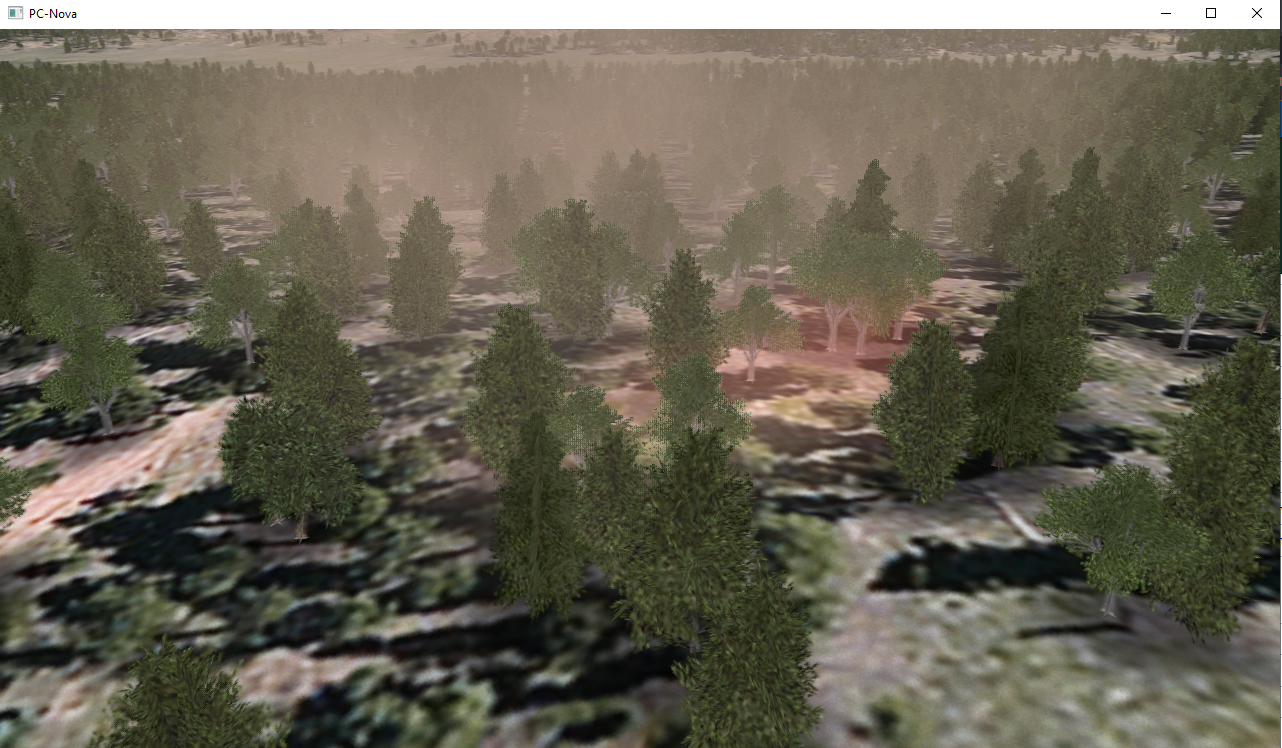
2. Set forest_burn_hv → Through either the host, spy, path, etc. set the following properties.
IMPORTANT NOTE: if no BurntTreeInstancedLib is provided at all, you will have a default DB texture in place of the trees.
- In forest_burn_hv[]
| enabled | 1 |
| radius | 70 |
| position[0] | Near ownship |
| position[1] | Near ownship |
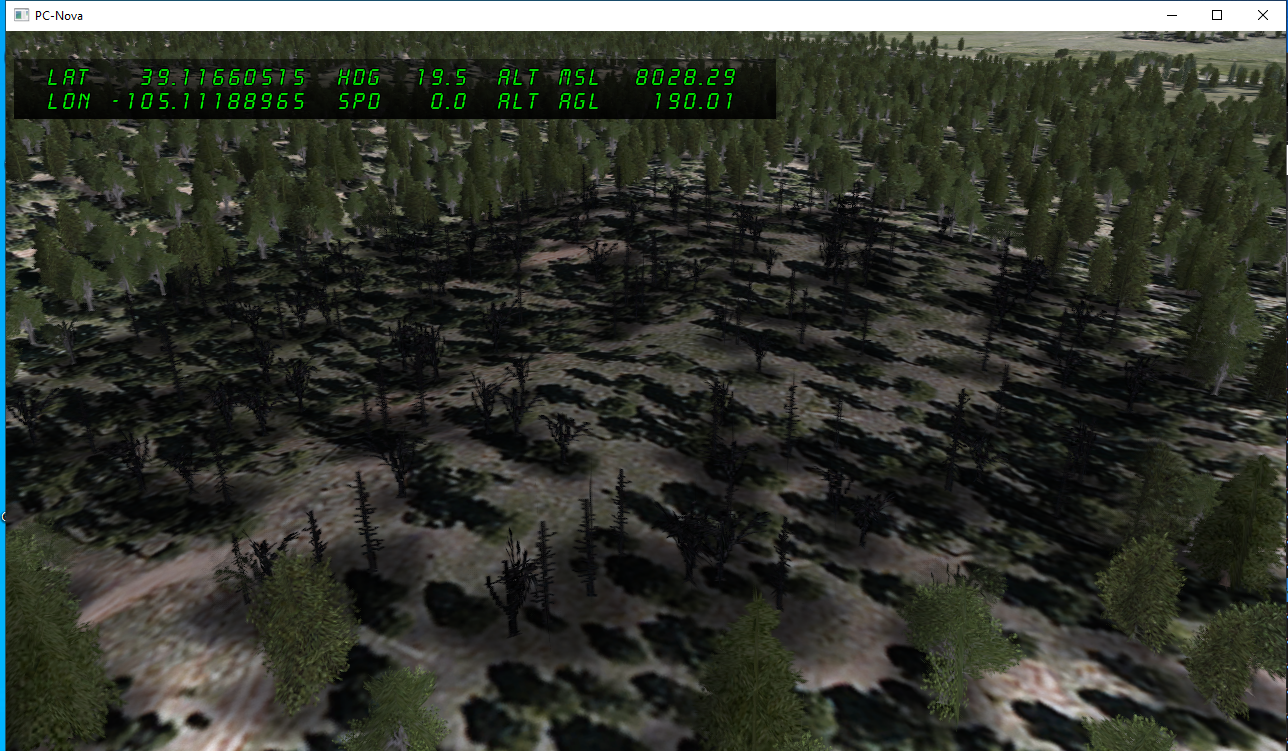
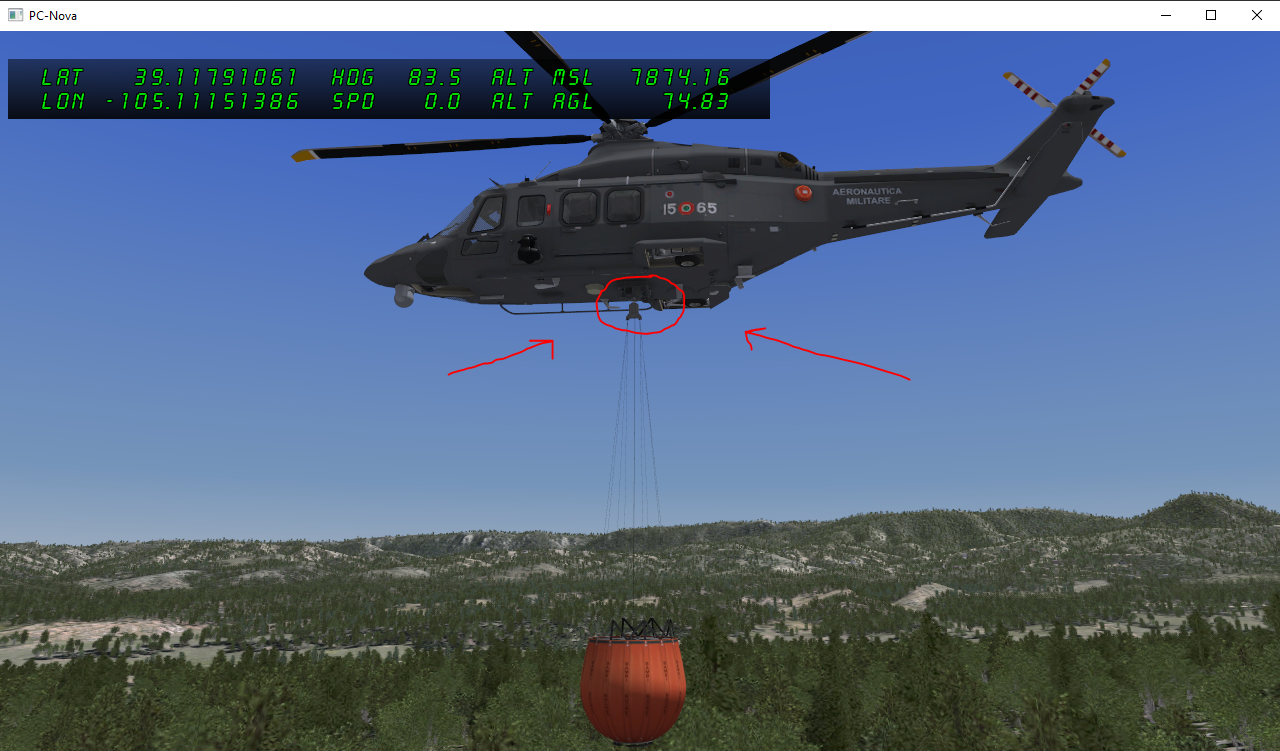
3. Place Models → Use the mova_hv & sling_load_hv icd structures to place models, then parent the bucket to the hook under the helo.
- For parenting sling_load_hv to AW-139, set
| parent.type | 1 |
| parent.id | 0 |
| parent.attachment_point | 1 |
4. Pair water dump & trigger → Through either the host, spy, path, etc. set the following properties.
- In fire_fighting_water_dump_hv
| enable | 1 |
| trigger | ++ increment |
| parent.type | 10 |
| parent.id | SlingLoad id |
| parent.attachment_point | 3 |
| position[0, 1, 2] | 0 |
| speed[0, 1, 2] | 0 |
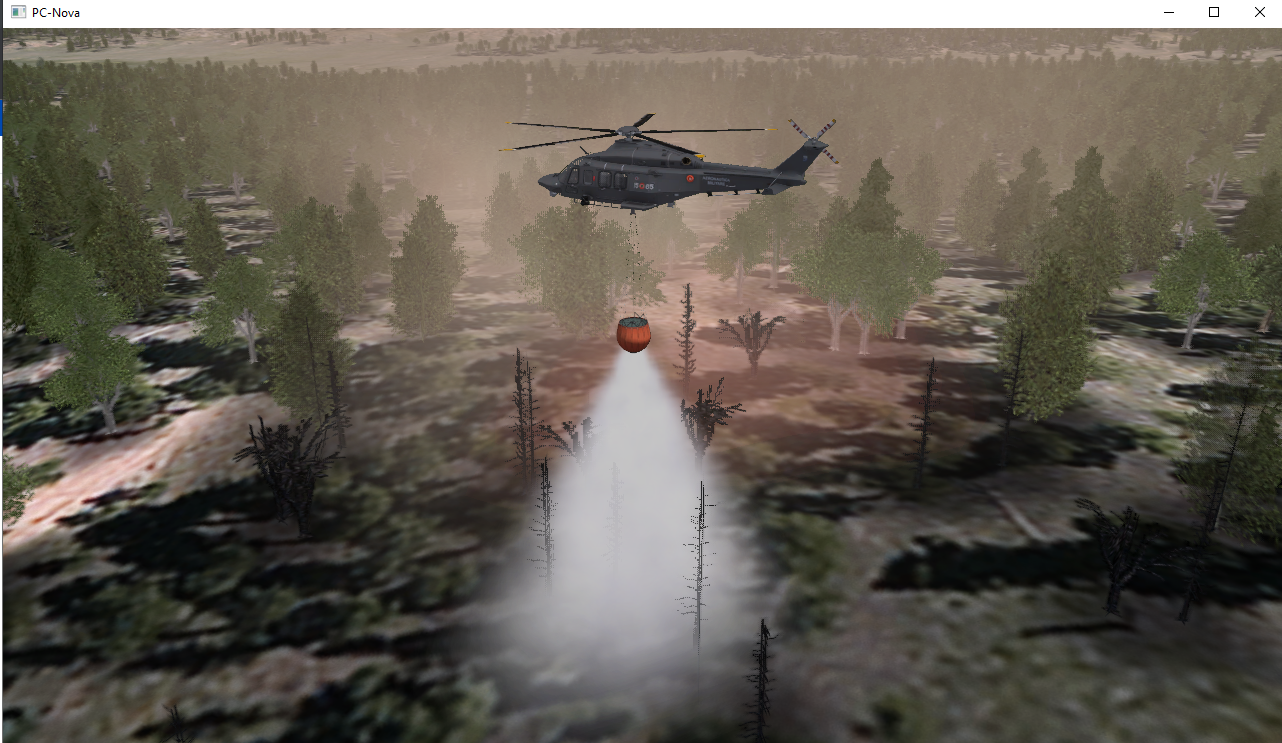
5. Extinguish fire → Through either the host, spy, path, etc. set the following properties after water dump has been triggered over a fire.
- In forest_fire_hv
| fire_intensity | gradually fade towards zero |
| smoke_intensity | fade only slightly |
Changing Number of Fires in Region
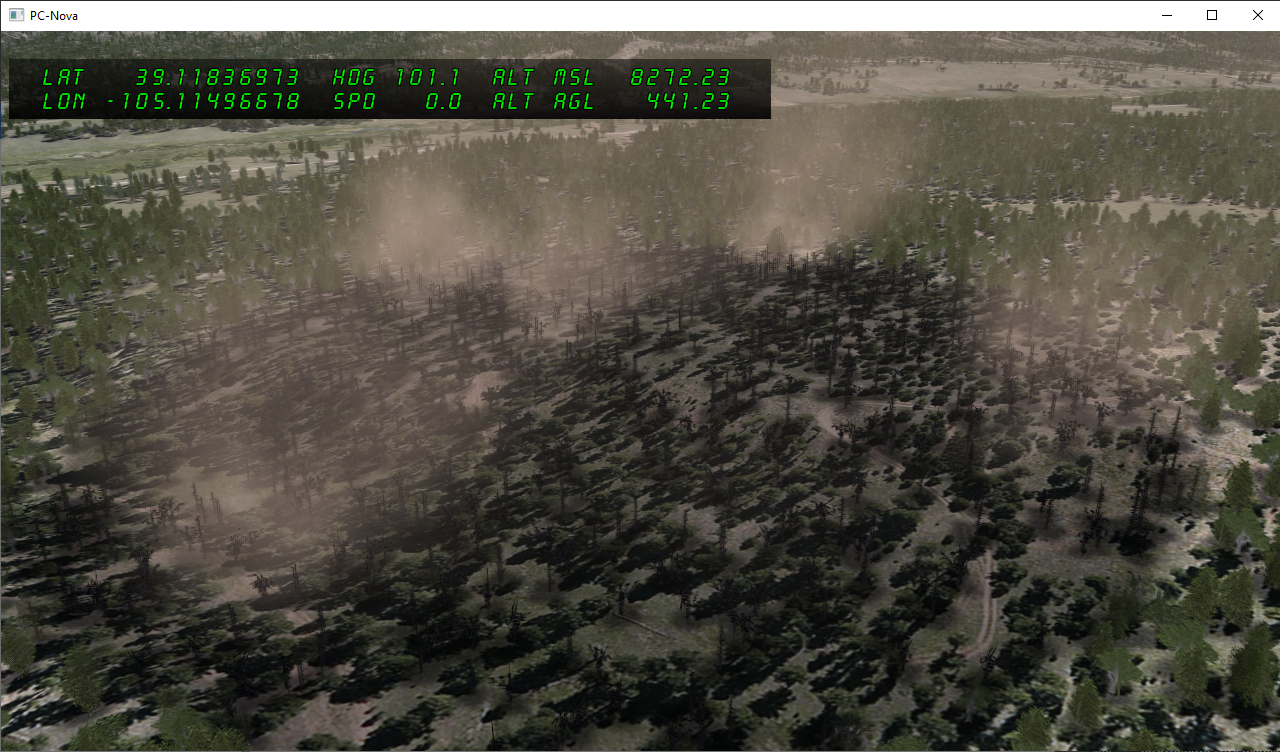
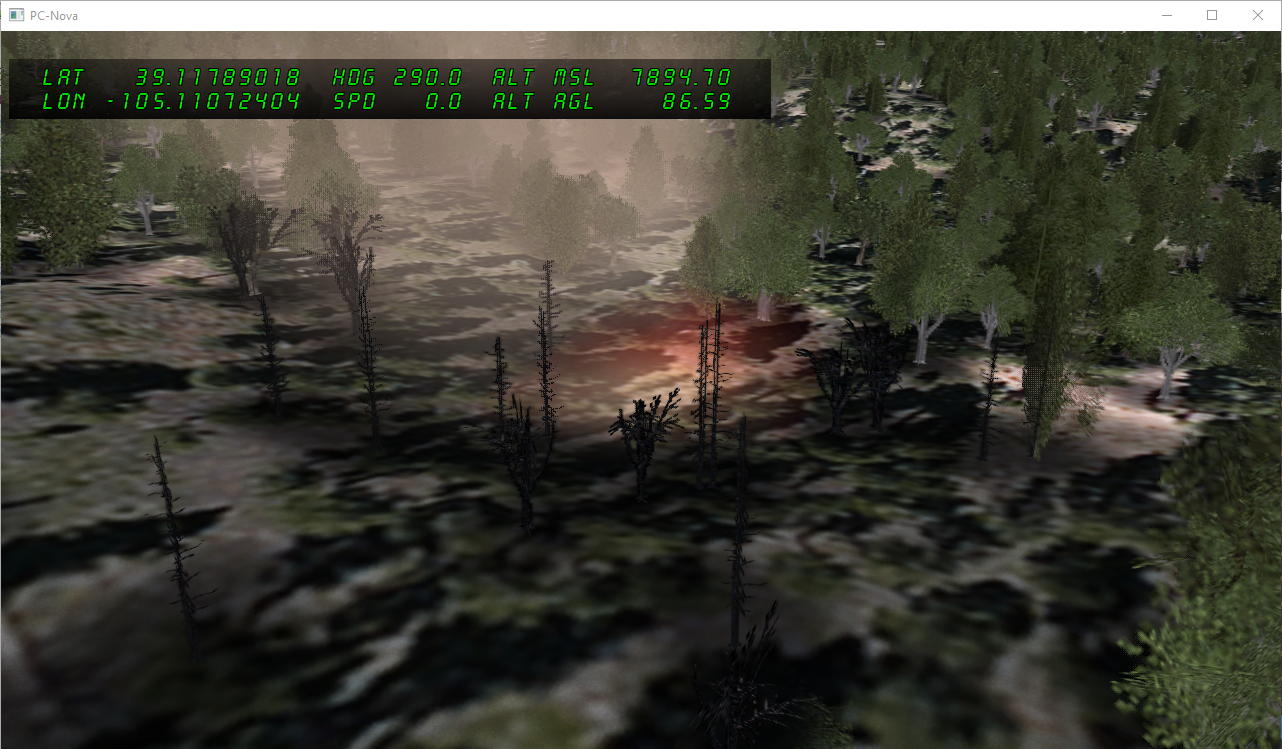
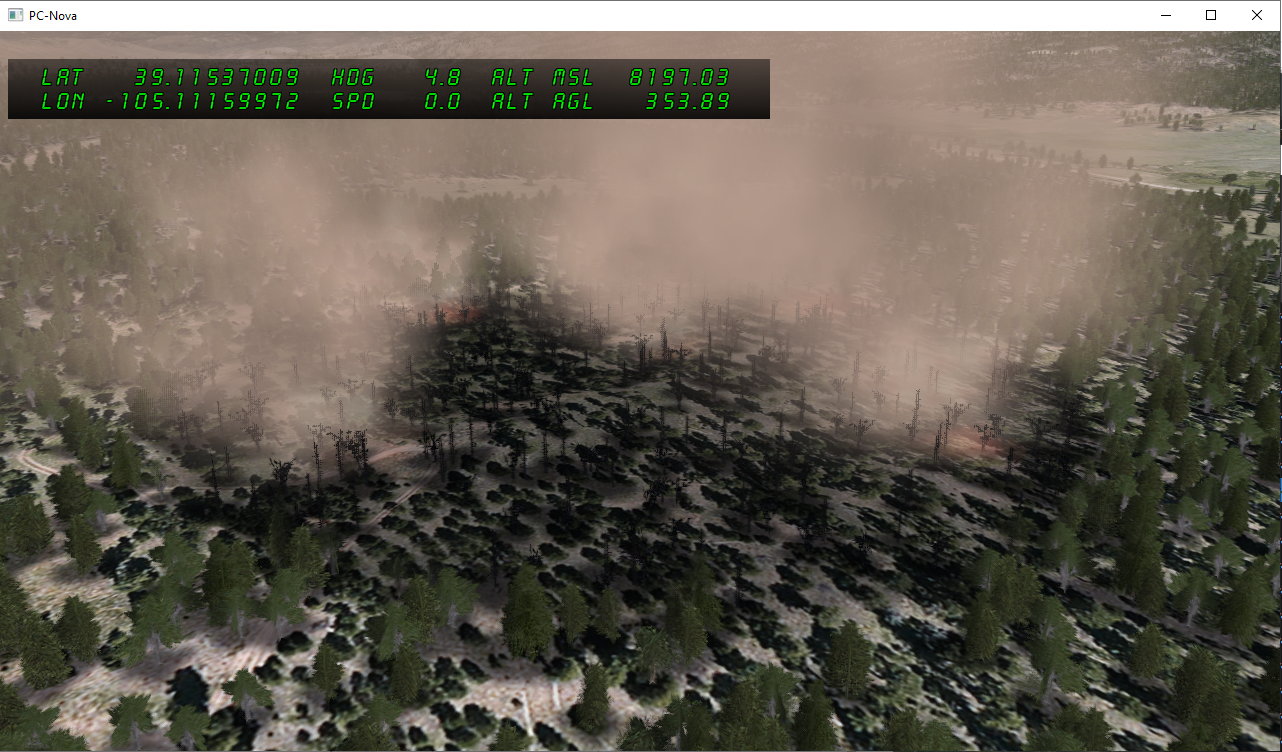
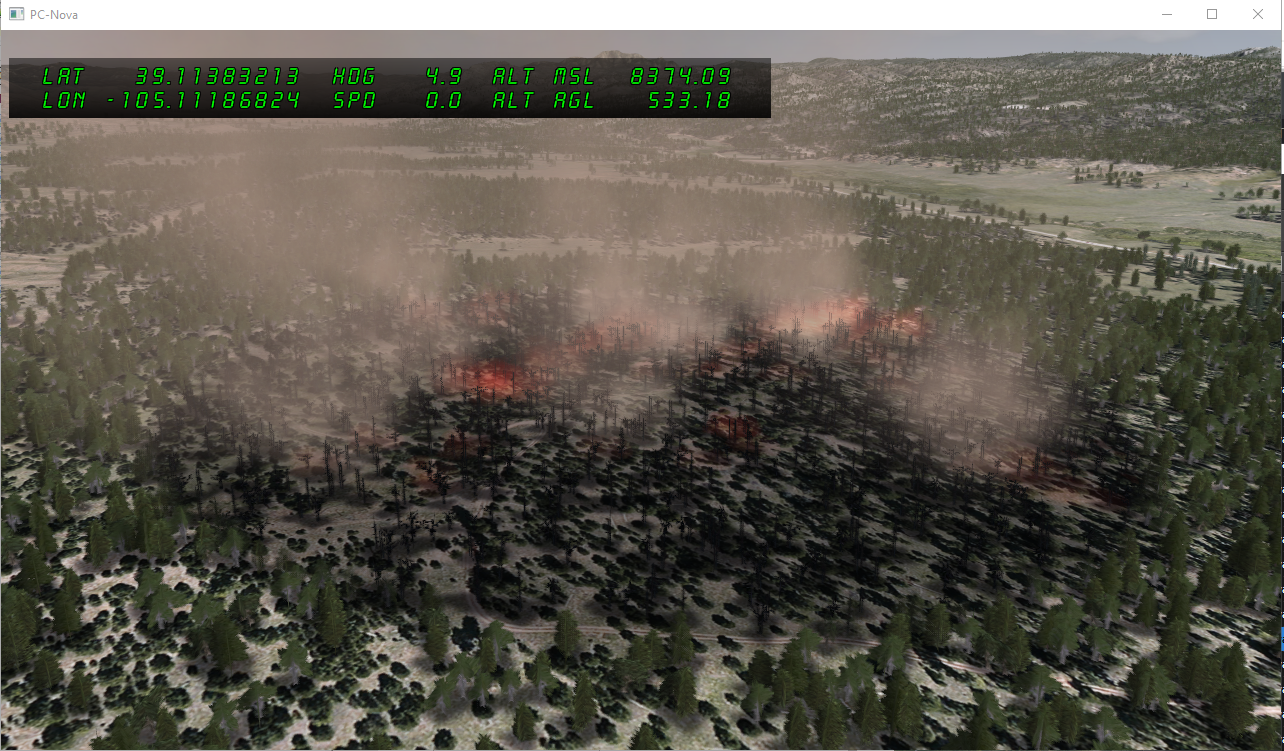
The actual number of individual fire and smoke column sprites are by default determined by the radius of the fire region. This can be quickly summarized like so:
- At radius < 75, one region will be populated by a singular fire and smoke sprite.
At radius >= 75, one region will have up to 5 fire and smoke sprites spread out over its area.
At radius > 200, one region will have up to 15 fire and smoke sprites spread out over its area.
- At radius < 75, one region will be populated by a singular fire and smoke sprite.
From left to right, the pictures in the section below demonstrate how the fire sprites multiply according to these rules.
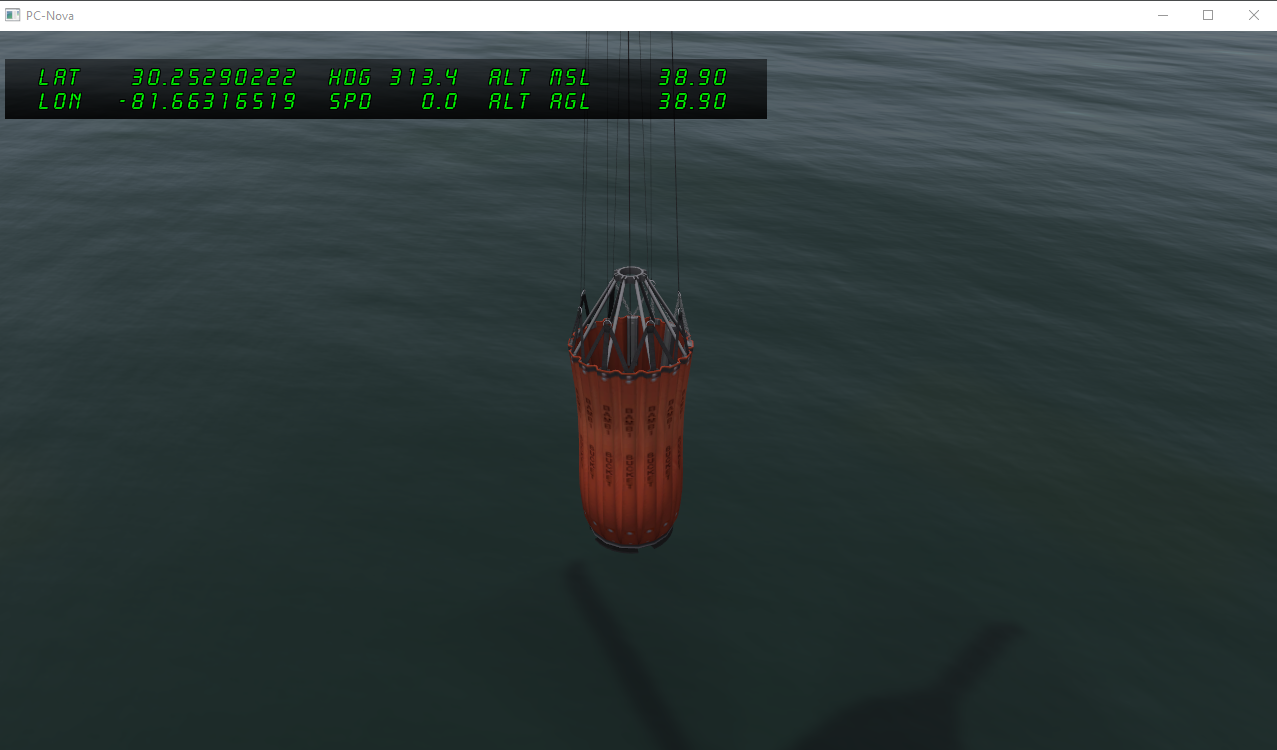
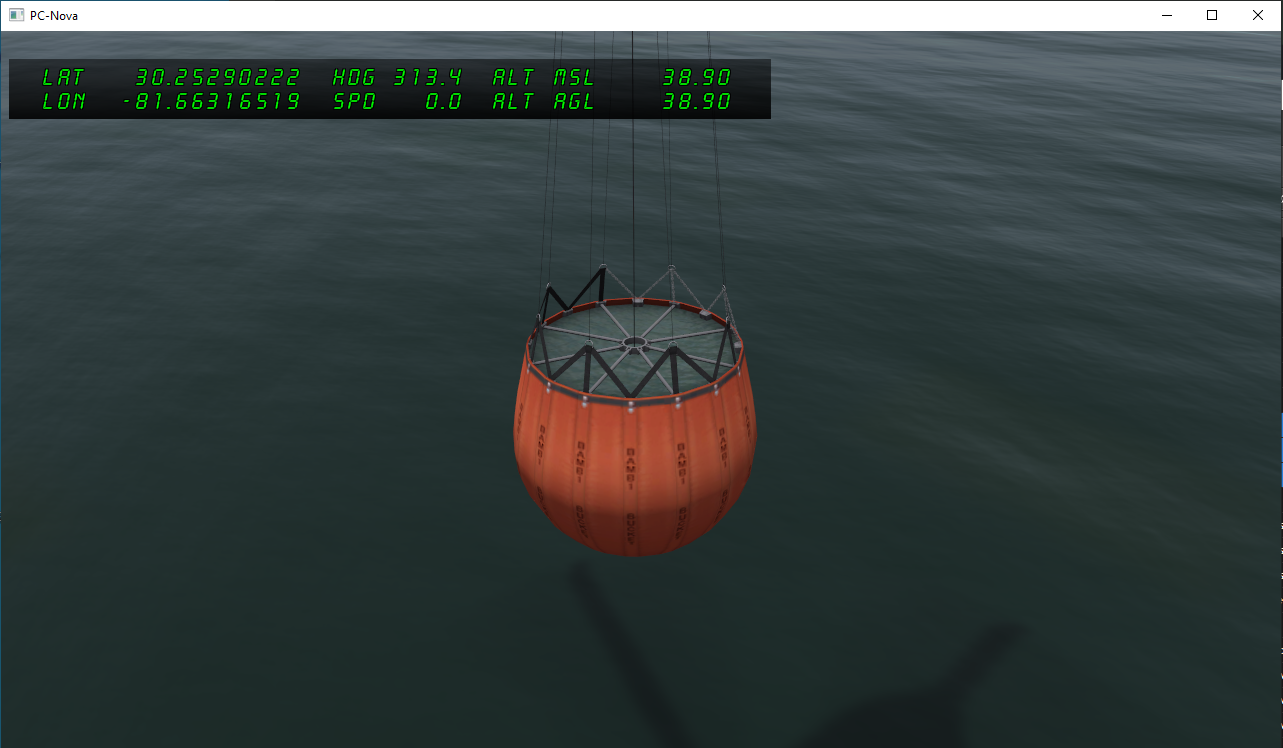
Animating the BAMBI bucket
While animation of the bambi bucket is not required to trigger the fire fighting water dump, it has a bit of nice granularity between states and adds additional realism to the scene.
- Through either the host, spy, path, etc. set the following properties.
In sling_load_hv[i]
val_artic[0] 0 - 10 (integers)
Adding Forest Fire Haze
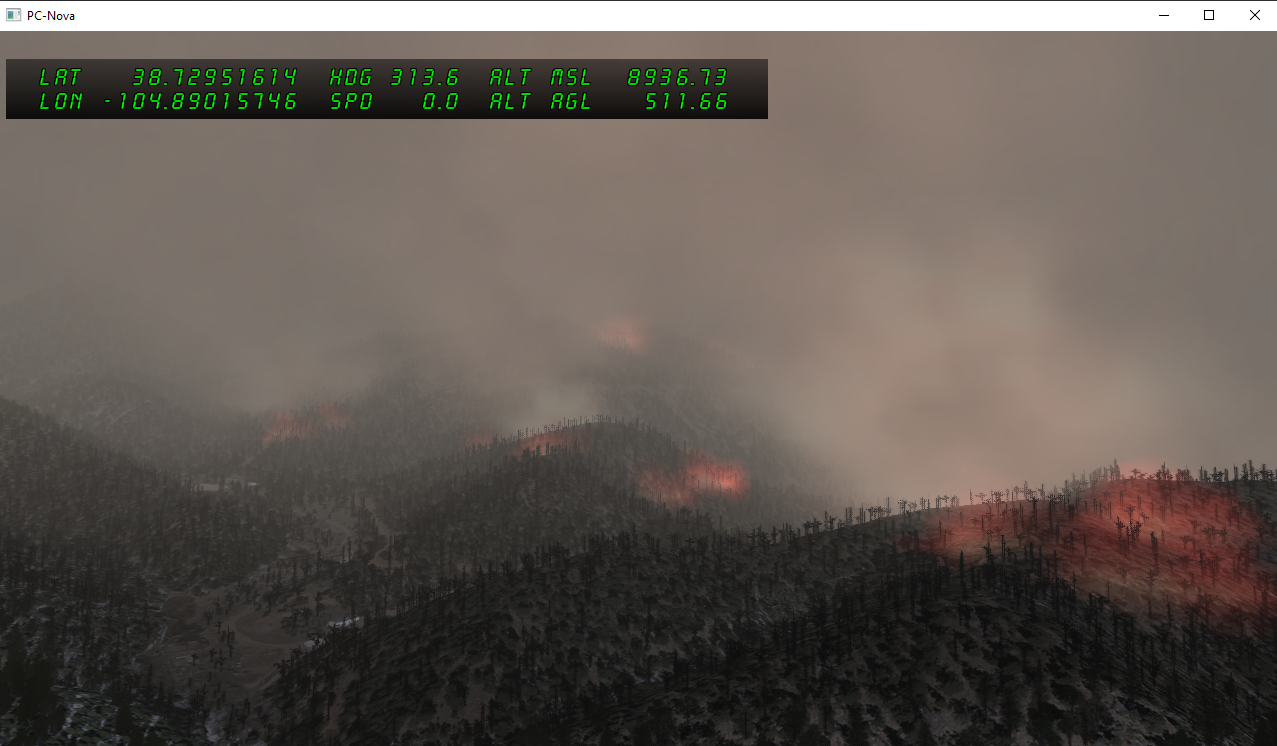
In larger forest fires, it is common for a brown/orange haze to form which envelops the entire area in low visibility. Typically this happens because wildfire smoke scatters the sunlight, making the brownish red colors, which have the longest wavelength of light, appear more prominently. This is why in pc-nova we represent both the wildfire smoke, and the forest_fire_haze as the same color.
To use the forest fire haze, we interact with the fog ICD. A quick guide below:
NOTE: The left picture is comparison to a real world stock image of forest fire haze, the right is how we represent this in pc-nova
- Through either the host, spy, path, etc. set the following properties.
In ICD.dat_ios
.fog 1 .visib_fog 47000 .fog_range 50000 .forest_fire_haze 1
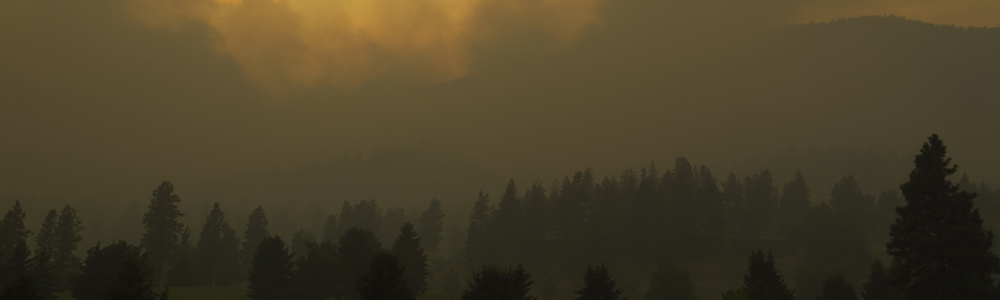
- If anything, I'd almost say our haze could be even more orange...
Optional Fx Tuning
The following files contain relevant FX tokens which act as knobs to tune various elements of the forest fires, burn regions and water spray.
- Forest_Fire_base.fx → Tunes most fire related params. The following tokens will have the greatest visual impact if testing.
- FIRE_SIZE_SCALE → positive values scale size
- FIRE_HEIGHT_OFFSET → negative values brings fire above terrain
- Forest_Fire_base.fx → Tunes most fire related params. The following tokens will have the greatest visual impact if testing.
-
- Fire_Fighting_Water_Dump_base.fx → Tunes most water dump related params.
- No need to tweak much in most test cases
- Fire_Fighting_Water_Dump_base.fx → Tunes most water dump related params.
-
- Smoke_base.fx → Can tweak global smoke settings which should also affect forest fire smoke. Some useful fx tokens below.
- SMOKE_SIZE_SCALE → positive values scale puff size
- SMOKE_FADE_TIME → Controls smoke fade
- SMOKE_WIND_SCALE → Controls wind effect of smoke.
- Smoke_base.fx → Can tweak global smoke settings which should also affect forest fire smoke. Some useful fx tokens below.
Forest Fires CIGI Control
The Forest Fire and Water Dump Effect are controlled through a mixture of Entity Control and Component Control Packets. The necessary packets are outlined below along with their mapping to the ICD variables described above.
Forest Fires CIGI Controls
Forest Fire Entity Control
| CIGI Field | Range/Value | ICD Mapping |
|---|---|---|
| Entity ID | User Defined | N/A |
| Entity Type | 21101 - 21121 | N/A |
| Latitude | Latitude in degrees | forest_fire_hv[x].position[0] |
| Longitude | Longitude in degrees | forest_fire_hv[x].position[1] |
Forest Fire Component Control - Fire
| CIGI Field | Range/Value | ICD Mapping |
|---|---|---|
| Comp Class | EntityV3 (0) | N/A |
| Instance ID | CIGI Entity ID of Forest Fire | N/A |
| Comp ID | 0 | N/A |
| Comp State | Fire Enable 0: off, 1: on | forest_fire_hv[x].fire_enable |
| Comp Data 0 | Fire Intensity [0.0 - 1.0] | forest_fire_hv[x].fire_intensity |
| Comp Data 1 | Radius in meters | forest_fire_hv[x].radius |
Forest Fire Component Control - Smoke
| CIGI Field | Range/Value | ICD Mapping |
|---|---|---|
| Comp Class | EntityV3 (0) | N/A |
| Instance ID | CIGI Entity ID of Forest Fire | N/A |
| Comp ID | 1 | N/A |
| Comp State | Smoke Enable 0: off, 1: on | forest_fire_hv[x].smoke_enable |
| Comp Data 0 | Smoke Intensity [0.0 - 1.0] | forest_fire_hv[x].smoke_intensity |
Fire Fighting Water Dump CIGI Controls
Fire Fighting Water Dump Entity Control
| CIGI Field | Range/Value | ICD Mapping |
|---|---|---|
| Entity ID | User Defined | N/A |
| Entity Type | 21122 | N/A |
| Parent ID | Valid Parent Entity ID | fire_fighting_water_dump_hv[x].parent |
| Latitude / X Offset | X Offset from Parent in meters | fire_fighting_water_dump_hv[x].position[0] |
| Longitude / Y Offset | Y Offset from Parent in meters | fire_fighting_water_dump_hv[x].position[1] |
| Altitude / Z Offset | Z Offset from Parent in meters | fire_fighting_water_dump_hv[x].position[2] |
Fire Fighting Water Dump Component Control - Size
| CIGI Field | Range/Value | ICD Mapping |
|---|---|---|
| Comp Class | EntityV3 (0) | N/A |
| Instance ID | CIGI Entity ID of Forest Fire | N/A |
| Comp ID | 0 | N/A |
| Comp Data 0 (float) | Water Dump Size in meters | fire_fighting_water_dump_hv.size NOTE: fire_fighting_water_dump_hv.trigger automatically gets incremented when this component control is sent |
Fire Fighting Water Dump Component Control - Speed
| CIGI Field | Range/Value | ICD Mapping |
|---|---|---|
| Comp Class | EntityV3 (0) | N/A |
| Instance ID | CIGI Entity ID of Forest Fire | N/A |
| Comp ID | 1 | N/A |
| Comp Data 0 (float) | Speed Vector X (meters/sec) | fire_fighting_water_dump_hv.speed[0] |
| Comp Data 1 (float) | Speed Vector Y (meters/sec) | fire_fighting_water_dump_hv.speed[1] |
| Comp Data 2 (float) | Speed Vector Z (meters/sec) | fire_fighting_water_dump_hv.speed[2] |
Fire Fighting Water Dump Component Control - Attachment Point
| CIGI Field | Range/Value | ICD Mapping |
|---|---|---|
| Comp Class | EntityV3 (0) | N/A |
| Instance ID | CIGI Entity ID of Forest Fire | N/A |
| Comp ID | 2 | N/A |
| Comp State | Parent Attachment Point | fire_fighting_water_dump_hv.parent.attachment_point |
Forest Burn CIGI Controls
Forest Burn Entity Control
| CIGI Field | Range/Value | ICD Mapping |
|---|---|---|
| Entity ID | User Defined | N/A |
| Entity Type | 21151 - 21161 | |
| Latitude | Latitude in degrees | forest_burn_hv[x].position[0] |
| Longitude | Longitude in degrees | forest_burn_hv[x].position[1] |
Forest Burn Component Control - Size
| CIGI Field | Range/Value | ICD Mapping |
|---|---|---|
| Comp Class | EntityV3 (0) | N/A |
| Instance ID | CIGI Entity ID of Forest Burn | N/A |
| Comp ID | 0 | N/A |
| Comp Data 0 (float) | Burn Area Radius in meters | forest_burn_hv[igIdx].radius |
Forest Fire Haze CIGI Control
Forest Fire Haze Component Control - Enable
| CIGI Field | Range/Value | ICD Mapping |
|---|---|---|
| Comp Class | GlobalLayeredWeatherV3 (9) | N/A |
| Comp ID | 7 | N/A |
| Comp State | Fire Haze Enable 0: off, 1:on | forest_fire_haze |