AeHost - Getting Started
To run Nova Host, it is located in the following directories as the following executable, aeHostGui.exe:
E:\CM\software\<release>\bin\
A shortcut will be located on the desktop as well.
The application can also be ran from the command line:
aeHostGui.exe –cfgFile=<path/to/configuration/file>
See for the full list of command line options
Configuration
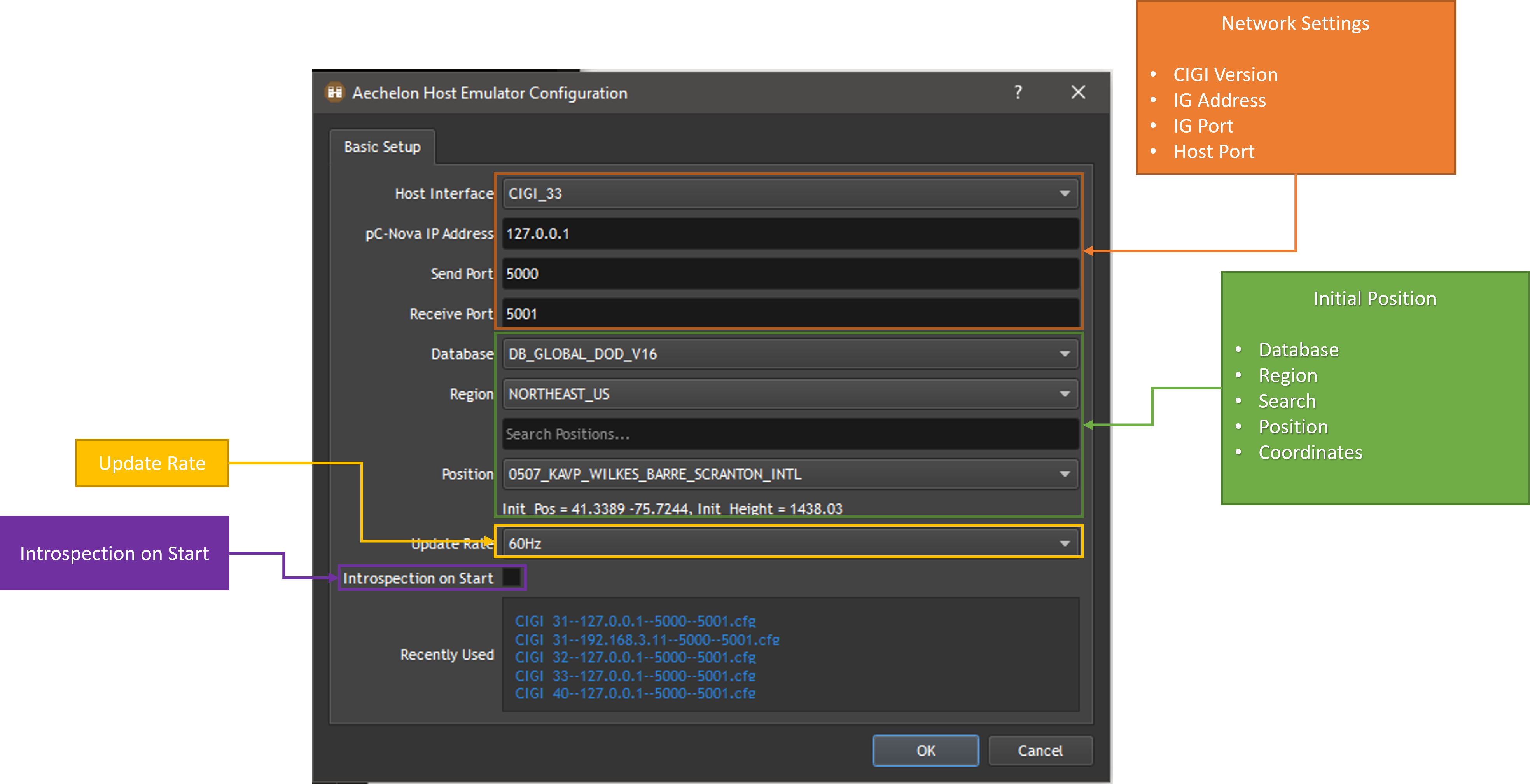
A window will pop up allowing you to initially configure Nova Host to connect with the IG.
For network settings, you can select the CIGI version to use, CIGI 3.1, 3.2, 3.3, and 4.0, the IG port, and the receiving port.
You can also select which database to use to select an initial position for the ownship.
The Update Rate dropdown allows you to select the rate at which messages are sent to Nova. The options are 30, 60(default), 120, and 240Hz.
The Instrospection on Start checkbox will allow Nova Host to send out an Introspection Query on start that will populate the Targets in Nova Host along with other tabs.
Main Window
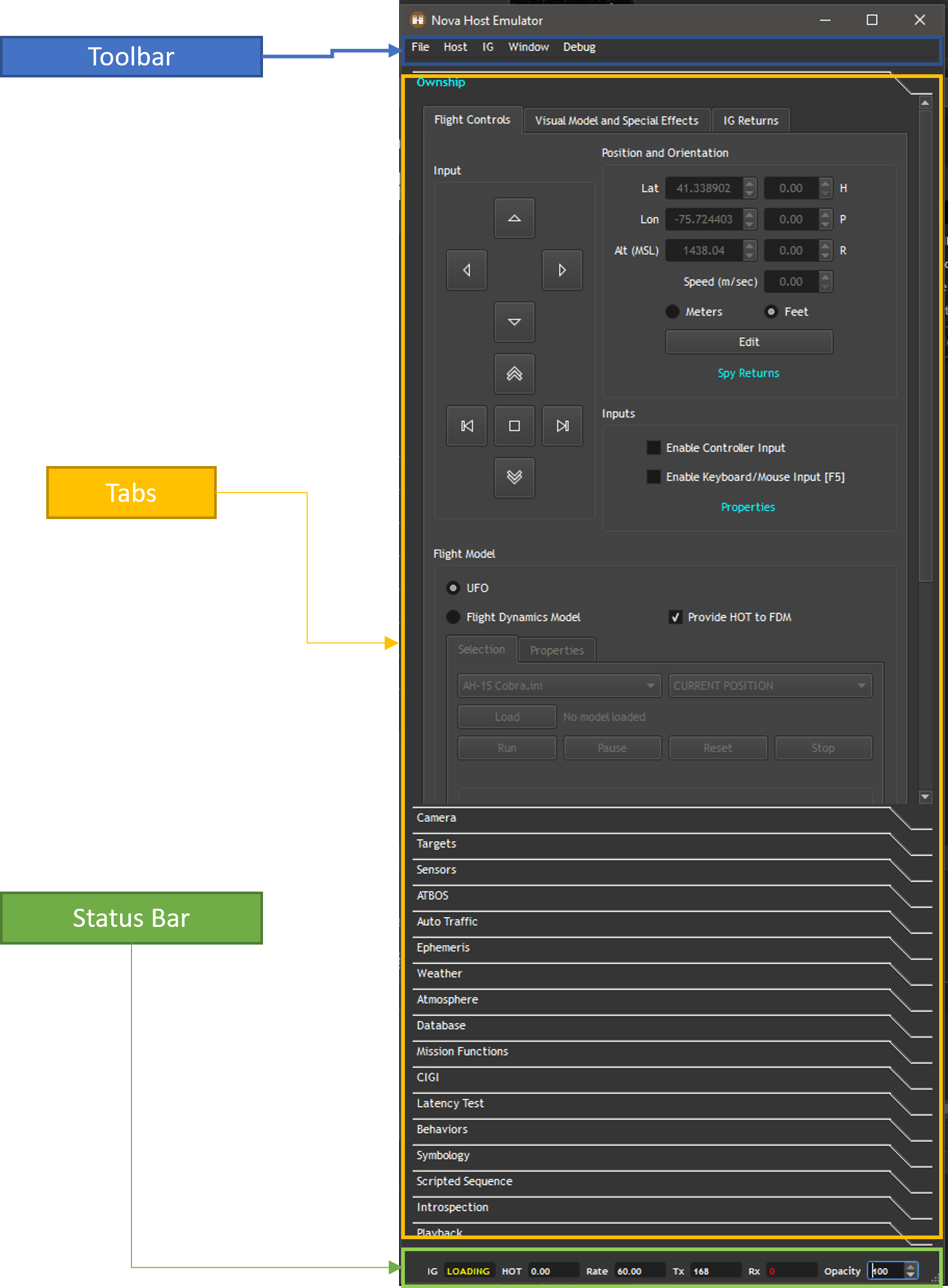
After clicking Okay on the Configuration Window, the main window will appear. From top to bottom you’ll see the Toolbar at the top with options, all of the different tabs for different tabs, and the Status at the bottom.